
82.0k Views
81 Executions
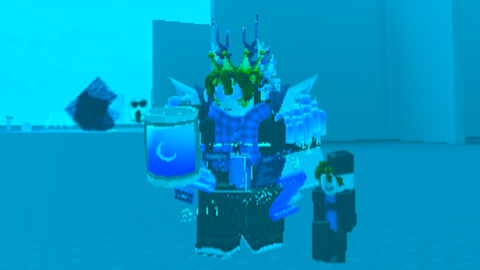
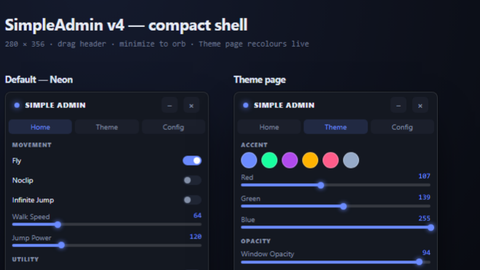
gui stuff testing
Universal Script 📌
duck_dudeFirst script
2 years ago
Please login to perform these actions:Does it work?
No reports yetNo reports yet. Tried it? Be the first to say.
Also noticed:
Description
a lot more glitchy than the main one but more stuff im working on a mobile version too scriptblox.com/script/Universal-Script-gui-stuff-16871 ok currently working on V 1.65
Updates
Script edited: Create script
local TweenService = game:GetService("TweenService")

-- Variable to track if the script has been executed
local scriptExecuted = false

-- Function to initialize and run the script
local function initializeScript()
    if scriptExecuted then
        print("Script has already been executed.")
        return
    end

    scriptExecuted = true

    -- Create a ScreenGui and its components
    local player = game.Players.LocalPlayer
    local playerGui = player:WaitForChild("PlayerGui")

    -- Create the main ScreenGui
    local screenGui = Instance.new("ScreenGui")
    screenGui.Name = "MyGui"
    screenGui.Parent = playerGui

    -- Create a draggable frame as the main container
    local mainFrame = Instance.new("Frame")
    mainFrame.Name = "MainFrame"
    mainFrame.Size = UDim2.new(0, 300, 0, 200)
    mainFrame.Position = UDim2.new(0.5, -150, 0.5, -100)
    mainFrame.BackgroundColor3 = Color3.fromRGB(30, 30, 30)
    mainFrame.BorderSizePixel = 0
    mainFrame.Parent = screenGui

    -- Apply rounded corners to the main frame
    local mainFrameCorner = Instance.new("UICorner")
    mainFrameCorner.CornerRadius = UDim.new(0, 12)
    mainFrameCorner.Parent = mainFrame

    -- Add a title bar to the frame
    local titleBar = Instance.new("Frame")
    titleBar.Name = "TitleBar"
if u cant make scritp and make scripts with chatgpt then dont post script
@k00ld13 yh