517 Views
70 Executions

Does it work?
No reports yetNo reports yet. Tried it? Be the first to say.
Also noticed:
Description
The script was created by DeepSeek. I perfectly understand that DeepSeek is not for scripts, but at least it's free.
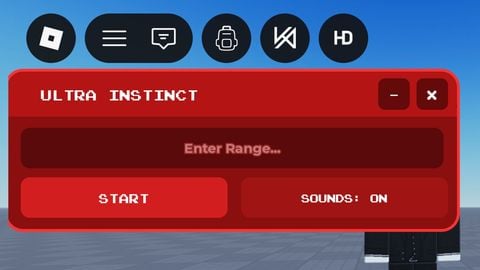
-- Simple and compact GUI for Roblox Player with bypass simulation
local player = game.Players.LocalPlayer
local gui = Instance.new("ScreenGui", player:WaitForChild("PlayerGui"))
gui.Name = "LeGUI"
gui.ResetOnSpawn = false

local frame = Instance.new("Frame", gui)
frame.Size = UDim2.new(0, 280, 0, 100)
frame.Position = UDim2.new(0.5, -140, 0.5, -50)
frame.BackgroundColor3 = Color3.new(0.15, 0.15, 0.15)
frame.BackgroundTransparency = 0.1
frame.Active = true
frame.Draggable = true
frame.BorderSizePixel = 2
frame.BorderColor3 = Color3.new(0, 0.7, 0)

local title = Instance.new("TextLabel", frame)
title.Size = UDim2.new(1, 0, 0, 20)
title.Position = UDim2.new(0, 0, 0, 0)
title.BackgroundColor3 = Color3.new(0, 0.5, 0)
title.TextColor3 = Color3.new(1, 1, 1)
title.Text = "BYPASS TOOL"
title.Font = Enum.Font.SourceSansBold
title.TextSize = 16

local text = Instance.new("TextBox", frame)
text.Size = UDim2.new(0.9, 0, 0, 30)
text.Position = UDim2.new(0.05, 0, 0.25, 0)
text.BackgroundColor3 = Color3.new(0.9, 0.9, 0.9)
text.TextColor3 = Color3.new(0, 0, 0)
text.PlaceholderText = "Enter word to bypass..."
text.Font = Enum.Font.SourceSans
text.TextSize = 14
text.ClearTextOnFocus = false

local button = Instance.new("TextButton", frame)
button.Size = UDim2.new(0.9, 0, 0, 30)
button.Position = UDim2.new(0.05, 0, 0.65, 0)
button.BackgroundColor3 = Color3.new(0, 0.6, 0)
button.TextColor3 = Color3.new(1, 1, 1)
Comments
0Log in to join the conversation. Login
No comments yet. Be the first!