1.9k Views
208 Executions
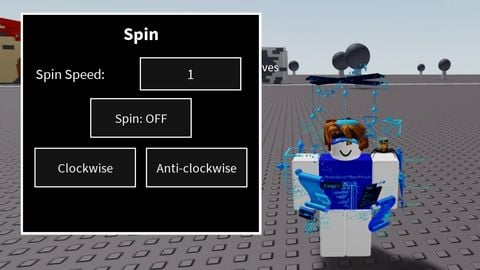
Universal gui
Universal Script 📌
Toxic_userFirst script
1 year ago
Please login to perform these actions:Does it work?
No reports yetNo reports yet. Tried it? Be the first to say.
Also noticed:
Description
Gui feito com IA
--// Script Brookhaven
-- Criado para fins educacionais

local Players = game:GetService("Players")
local UIS = game:GetService("UserInputService")

local player = Players.LocalPlayer
local ScreenGui = Instance.new("ScreenGui", player:WaitForChild("PlayerGui"))

-- Frame principal
local Frame = Instance.new("Frame", ScreenGui)
Frame.Size = UDim2.new(0, 200, 0, 250)
Frame.Position = UDim2.new(0.05, 0, 0.3, 0)
Frame.BackgroundColor3 = Color3.fromRGB(40, 40, 40)
Frame.Active = true
Frame.Draggable = true

-- Botão de abrir/fechar
local ToggleButton = Instance.new("TextButton", ScreenGui)
ToggleButton.Size = UDim2.new(0, 120, 0, 40)
ToggleButton.Position = UDim2.new(0, 20, 0, 20)
ToggleButton.BackgroundColor3 = Color3.fromRGB(0, 120, 200)
ToggleButton.TextColor3 = Color3.fromRGB(255, 255, 255)
ToggleButton.Text = "Fechar Menu"
ToggleButton.Font = Enum.Font.SourceSansBold
ToggleButton.TextSize = 18

local aberto = true
ToggleButton.MouseButton1Click:Connect(function()
	aberto = not aberto
	Frame.Visible = aberto
	ToggleButton.Text = aberto and "Fechar Menu" or "Abrir Menu"
end)

-- Função criadora de botões
local function CriarBotao(nome, posY)
	local btn = Instance.new("TextButton", Frame)
	btn.Size = UDim2.new(0, 180, 0, 40)
	btn.Position = UDim2.new(0, 10, 0, posY)
	btn.BackgroundColor3 = Color3.fromRGB(70, 70, 70)
Comments
0Log in to join the conversation. Login
No comments yet. Be the first!