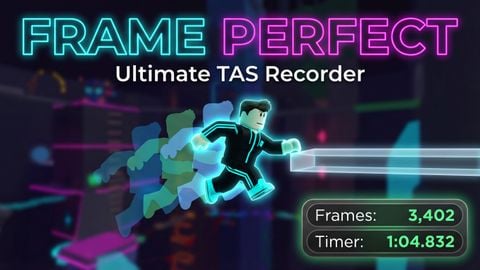
 New and Improved | Global TAS Creator
Universal Script 📌
Does it work?
No reports yetNo reports yet. Tried it? Be the first to say.
Description
Update: Added Velocity Visualizer. TAS RECORDER REDUX - BEGINNER GUIDE IMPORTANT: PC ONLY This script is strictly for Windows/PC users. If you are on a phone, tablet, or Xbox, this script may not function. WHAT IS THIS? This is a Tool-Assisted Speedrun (TAS) tool. It allows you to slow down time, frame-by-frame, to create "perfect" movements in Roblox games. You record your inputs slowly, and the script plays them back at full speed. REQUIREMENTS A PC (Windows). A Roblox Executor that supports the 'getsenv' function. Most free "Level 3" executors will not run the animation recorder correctly. GETTING STARTED Open your Roblox game. Open your Executor. Paste the TAS Recorder Redux script into the executor. Click Execute. You will see a GUI appear at the bottom of your screen. You can drag this GUI to move it. THE STATUS COLORS The border of the GUI changes color to tell you what is happening: RED Border: You are Unpaused and Recording. Every move you make is being saved. YELLOW Border: You are Paused. Time is frozen for your character. GREEN Border: You are Playing Back a recording. BASIC CONTROLS (The Essentials) Caps Lock: The most important key. This toggles between PAUSE and RECORD. 1 (One): Create a Savestate (Checkpoint). Do this before a hard jump. 2 (Two): Delete the last Savestate. 8 (Eight): Teleport back to your last Savestate. Use this if you die or mess up. R key: Go BACK one frame. Use this to rewind time slightly. F key: Go FORWARD one frame. Use this to move perfectly, step-by-step. 0 (Zero): Play back your whole run from the start. HOW TO MAKE YOUR FIRST RUN Step 1: Start the script. Press Caps Lock to PAUSE immediately. The border turns Yellow. Step 2: Hold down the W key (forward). While holding W, tap the 'F' key repeatedly. You will see your character move forward in tiny steps. This is "Frame Advance." Step 3: To jump perfectly, hold Spacebar and tap 'F' until you land. Step 4: If you successfully landed a jump, press '1'. This saves your spot. Step 5: Move to the next obstacle. If you fall off the map, DO NOT PANIC. Just press '8'. You will teleport back to your last save spot. Step 6: To redo a specific movement, press 'R' to rewind time, adjust your aim, and press 'F' to go forward again. Step 7: Once you have finished the course, press '0' (Zero). The script will take control and play back everything you just did smoothly. ADVANCED FEATURES Debug Mode (Press V): This turns walls gray and makes invisible parts visible. It also turns "Kill Bricks" bright red and highlights thin walls in cyan. Use this to see hitboxes. Enter Savestate (Press 3): If you made a mistake 3 checkpoints ago, you can delete your recent progress and "enter" an old savestate to start recording from there again. Physics: When playing back, your character will be unanchored but have zero velocity. This means you will look smooth to other players, but you cannot be pushed around. SAVING AND LOADING You can save your TAS to your computer to show friends later. Click the text box in the GUI. Type a name (example: Level1Run). Press '6' on your keyboard. It will save as 'Level1Run.json'. To load it later, type 'Level1Run' in the box and press the Minus key (-). REMEMBER: This creates a file on your PC in the 'workspace/TAS_Recorder' folder. You need an executor that supports writing files to save CREDITS & TECHNICAL INFORMATION AT https://github.com/tomatotxt/TAS-Creator/tree/main





Guys i might honestly remake this
@c00lk1ddy make a feature that u can hide gui
W script i got an account to coment i vouch
please add r6 animation support if possible
@guymcguy I don't know how to fix that its weird roblox physics.
small problem. the physics are a bit different when you like pause, you jump a bit less further if you only use +1 frame without anything else. do you know how to fix this or maybe it's a script problem?? idk.
Super lag for trashcan pc
whats one of the required executor's velocity wont load for me