2.5k Views
6.1k Executions
Universal ESP Chams
Universal Script 📌
ARKless10K executions
4 months ago
Please login to perform these actions:Does it work?
No reports yetNo reports yet. Tried it? Be the first to say.
Also noticed:
Description
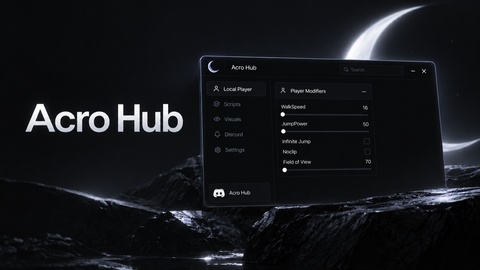
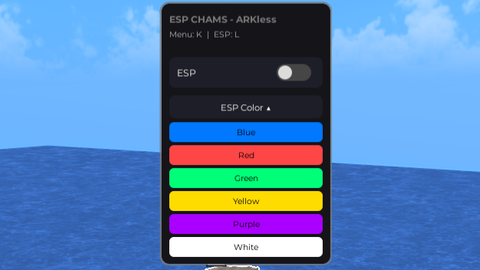
Simple chams and the ability to change the color of it. includes keybinds to open and close the GUI aswell as toggle the chams Keybinds: GUI = K ESP = L (Current planned update: Team check option so it doesnt only highlight every player - Just to clarify, no, it does not highlight your own avatar) If you have ideas for simple add-ons to the GUI, let me know
--- this shit took forever, so i hope you like the script for its current stages <3
--- Made By ARKless :D

local Players = game:GetService("Players")
local UserInputService = game:GetService("UserInputService")
local TweenService = game:GetService("TweenService")

local LocalPlayer = Players.LocalPlayer
local PlayerGui = LocalPlayer:WaitForChild("PlayerGui")

local ESPEnabled = false
local UIVisible = true
local connections = {}

local ESPColor = Color3.fromRGB(0,120,255)
local AccentColor = Color3.fromRGB(120,120,120)

local gui = Instance.new("ScreenGui")
gui.Name = "ESP_UI"
gui.ResetOnSpawn = false
gui.IgnoreGuiInset = true
gui.Parent = PlayerGui

local main = Instance.new("Frame")
main.Size = UDim2.new(0,220,0,160)
main.Position = UDim2.new(0, 30, 0.5, -70)
main.BackgroundColor3 = Color3.fromRGB(20, 20, 25)
main.BorderSizePixel = 0
main.Parent = gui

local corner = Instance.new("UICorner")
corner.CornerRadius = UDim.new(0, 10)
corner.Parent = main

local stroke = Instance.new("UIStroke")
stroke.Color = AccentColor
stroke.Thickness = 1.5
stroke.Transparency = 0.2
stroke.Parent = main
Comments
0Log in to join the conversation. Login
No comments yet. Be the first!