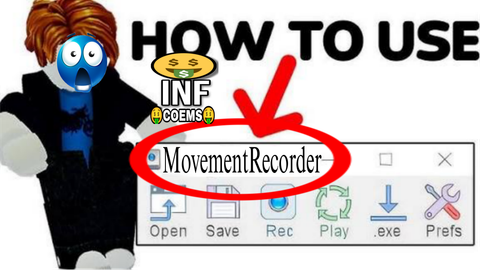
Tinytask but Movement Recorder
Universal Script 📌
Does it work?
No reports yetNo reports yet. Tried it? Be the first to say.
Description
Me: Yo Grok make me a script Grok: igu bro Me: tell everyone how to use it Grok: Ofc! Step-by-Step Guide: 1. Copy the Script - Copy the entire script I gave you last (the one with the clean GUI, ⚙ Settings button, and hideable settings). 2. Open Your Executor - Launch your Roblox exploit/executor. - Join the Roblox game you want to use it in. 3. Inject & Paste the Script - Open the executor’s script window/tab. - Paste the entire copied script. - Click Execute or Inject. 4. The GUI Will Appear - A small draggable window titled “Movement Recorder” will pop up on your screen (usually near the bottom center). - You can drag it anywhere by holding and moving it (works on mobile too!). 5. How to Use the Buttons Main Buttons (Always Visible): - Start Recording (Green) → Click this, then move around exactly how you want (walk, jump, turn, etc.). The button will say “Recording...” - Stop Recording (Red) → When you're done moving, click this. It saves your movement path. - Run Playback (Blue) → Click this to make your character automatically repeat the exact movement you recorded. Button changes to “Playing...” while running. ⚙ Settings Button (Gray) - Click this to show/hide extra options: - Loop Playback → Turn ON if you want it to repeat forever. Turn OFF for one-time play. - Legit Movement → - OFF: Super fast/snappy movement (very obvious). - ON: Smoother, more human-like movement (looks much more natural/legit). - Delete GUI (Red) → Removes the menu completely (useful to hide it). → Click ⚙ again to hide the settings when you're done. 6. Tips for Best Results - Record in a safe spot first to test. - Short paths work best at first. - If using Legit Movement: ON, it looks way bot movement XD. - Turn Loop Playback: ON for AFK farming. - Your character will stop responding to your controls during playback — this is normal. 7. To Stop Playback Early - Just click Stop Run Playback again, or respawn your character. That’s it! Super easy once you try it once.






I use z.ai because cheap and cool api, L grock!!1!!
@I_eat_beans_bruh grok is free
@NPCNOk I use the api, the api is cheap i mean (because chinese)
@I_eat_beans_bruh I didn't say api
underrated script fr no lag no bug
"Did bro just quit sword bot to make this thing? So fire🔥🔥🔥" 🔥🔥🔥