2.3k Views
1 Executions
Plins GUI a little bugged
Universal Script 📌
Plin_990First script
2 years ago
Please login to perform these actions:Does it work?
No reports yetNo reports yet. Tried it? Be the first to say.
Also noticed:
Description
Just a script with basic things(it's a little bugged)
local ScreenGui1 = Instance.new("ScreenGui")
ScreenGui1.Parent = game.Players.LocalPlayer:WaitForChild("PlayerGui")

local Frame1 = Instance.new("Frame")
Frame1.Parent = ScreenGui1
Frame1.BackgroundColor3 = Color3.fromRGB(255, 0, 191)
Frame1.BorderSizePixel = 1
Frame1.BorderColor3 = Color3.fromRGB(0, 255, 0)
Frame1.Position = UDim2.new(0.3, 0, 0.5, 0)
Frame1.Size = UDim2.new(0.5, 0, 0.5, 0)
Frame1.Visible = true
Frame1.Active = true
Frame1.Draggable = true

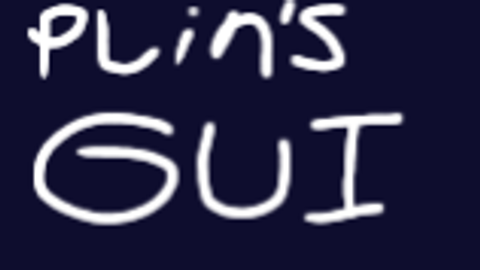
-- Barra de título con "Plin's GUI"
local TitleBar = Instance.new("Frame")
TitleBar.Parent = Frame1
TitleBar.BackgroundColor3 = Color3.fromRGB(50, 50, 50)
TitleBar.Size = UDim2.new(1, 0, 0.15, 0)
TitleBar.BorderSizePixel = 0

local TitleText = Instance.new("TextLabel")
TitleText.Parent = TitleBar
TitleText.Text = "Plin's GUI"
TitleText.TextColor3 = Color3.fromRGB(255, 255, 255)
TitleText.BackgroundTransparency = 1
TitleText.Size = UDim2.new(1, -30, 1, 0)
TitleText.Font = Enum.Font.SourceSansBold
TitleText.TextScaled = true

-- Botón para cerrar la GUI
local CloseButton = Instance.new("TextButton")
CloseButton.Parent = TitleBar
CloseButton.Text = "X"
CloseButton.TextColor3 = Color3.fromRGB(200, 0, 0)
CloseButton.Size = UDim2.new(0, 30, 1, 0)
CloseButton.Position = UDim2.new(1, -30, 0, 0)
CloseButton.Font = Enum.Font.SourceSansBold
CloseButton.TextScaled = true
Comments
0Log in to join the conversation. Login
No comments yet. Be the first!