1.2k Views
381 Executions
KRNL EXECUTOR
Universal Script 📌
H0zzl0rd_haxFirst script
9 months ago
Please login to perform these actions:Does it work?
No reports yetNo reports yet. Tried it? Be the first to say.
Also noticed:
Description
Fe bypass
local Player = game.Players.LocalPlayer
local PlayerGui = Player:WaitForChild("PlayerGui")

-- Initialize ScreenGui
local ScreenGui = Instance.new("ScreenGui")
ScreenGui.Name = "KRNL"
ScreenGui.Parent = PlayerGui
ScreenGui.ResetOnSpawn = false
ScreenGui.IgnoreGuiInset = true

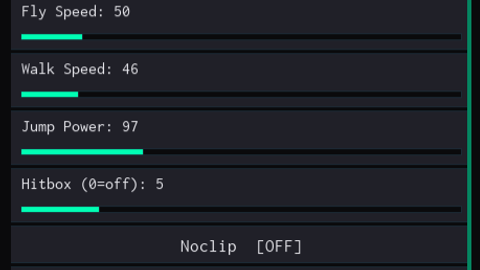
-- 1. Main Frame (Ultra Small Size: 378x221)
local MainFrame = Instance.new("Frame")
MainFrame.Name = "MainFrame"
MainFrame.Parent = ScreenGui
MainFrame.BackgroundColor3 = Color3.fromRGB(18, 18, 18)
MainFrame.BorderSizePixel = 0
MainFrame.Position = UDim2.new(0.5, -189, 0.5, -110)
MainFrame.Size = UDim2.new(0, 378, 0, 221)
MainFrame.Active = true
MainFrame.Draggable = true

-- 2. Title Bar (Height: 20px)
local TitleBar = Instance.new("Frame")
TitleBar.Parent = MainFrame
TitleBar.BackgroundColor3 = Color3.fromRGB(35, 35, 35)
TitleBar.BorderSizePixel = 0
TitleBar.Size = UDim2.new(1, 0, 0, 20)

local TitleLabel = Instance.new("TextLabel")
TitleLabel.Parent = TitleBar
TitleLabel.Text = "KRNL"
TitleLabel.TextColor3 = Color3.new(1, 1, 1)
TitleLabel.Size = UDim2.new(1, 0, 1, 0)
TitleLabel.BackgroundTransparency = 1
TitleLabel.Font = Enum.Font.SourceSansBold
TitleLabel.TextSize = 12

-- Minimize [-] and Close [x] Buttons
local function createTitleBtn(text, xPos)
    local btn = Instance.new("TextButton")
Comments
0Log in to join the conversation. Login
No comments yet. Be the first!