
Does it work?
No reports yetNo reports yet. Tried it? Be the first to say.
Description
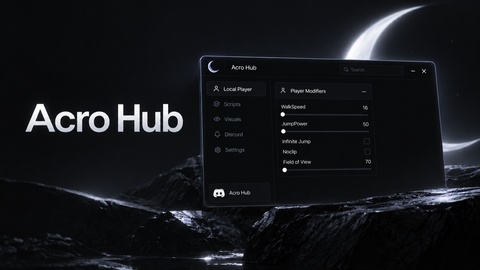
made using AI This script creates a GUI in Roblox that allows players to toggle their character's jumping state and set a custom delay between jumps. Here's a breakdown of what each part does: 1. Creating the GUI Elements: The script sets up a `ScreenGui`, a `Frame`, a `TextLabel`, a `TextButton`, and a `TextBox` for the draggable GUI interface. 2. Draggable Frame: The frame is made draggable by setting `Active` and `Draggable` properties to true. 3. Toggle Button and Jump Delay Box: A button toggles the jumping state, and a text box allows the player to set the jump delay. 4. Jump Function: The character jumps at intervals defined by the `jumpDelay`. 5. Toggle Jump Logic: The button toggles the jumping state, and the text box sets the jump delay. 6. UI Updates: The button text and color change to reflect the current state (jumping or not jumping).
-- Create a ScreenGui to hold the draggable GUI
local gui = Instance.new("ScreenGui")
gui.Parent = game.Players.LocalPlayer.PlayerGui

-- Create a Frame for the draggable GUI
local frame = Instance.new("Frame")
frame.Size = UDim2.new(0, 200, 0, 150)
frame.Position = UDim2.new(0, 10, 0, 10)
frame.BackgroundColor3 = Color3.fromRGB(52, 73, 94)
frame.BackgroundTransparency = 0.5
frame.BorderSizePixel = 0
frame.Active = true
frame.Draggable = true
frame.Parent = gui

-- Create a TextLabel to display instructions
local textLabel = Instance.new("TextLabel")
textLabel.Size = UDim2.new(1, 0, 0.33, 0)
textLabel.Position = UDim2.new(0, 0, 0, 0)
textLabel.BackgroundTransparency = 1
textLabel.Text = "Drag this GUI to move it!"
textLabel.TextColor3 = Color3.fromRGB(255, 255, 255)
textLabel.TextSize = 20
textLabel.Font = Enum.Font.SourceSansBold
textLabel.Parent = frame

-- Create a TextButton as the toggle button
local toggleButton = Instance.new("TextButton")
toggleButton.Size = UDim2.new(1, 0, 0.33, 0)
toggleButton.Position = UDim2.new(0, 0, 0.33, 0)
toggleButton.BackgroundColor3 = Color3.fromRGB(41, 128, 185)
toggleButton.TextColor3 = Color3.fromRGB(255, 255, 255)
toggleButton.TextSize = 20
toggleButton.Font = Enum.Font.SourceSansBold
toggleButton.Text = "Toggle Jump"
toggleButton.Parent = frame

-- Create a TextBox to input jump delay
local jumpDelayBox = Instance.new("TextBox")
jumpDelayBox.Size = UDim2.new(1, 0, 0.33, 0)




yeah I didn't, made this using chatgpt and copilot lol
Let's pretend he created it
skull emoji
looks cool