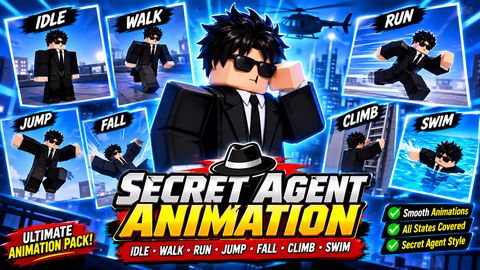
8.1k Views
463 Executions

Does it work?
No reports yetNo reports yet. Tried it? Be the first to say.
Also noticed:
Description
Gun not fe
Updates
Script edited: Create script
local player = game.Players.LocalPlayer
local character = player.Character
repeat wait() character = player.Character until character
local mouse = player:GetMouse()

local tool = Instance.new("Tool",player.Backpack)
tool.Name = "lol"
tool.GripForward = Vector3.new(0, 0, 0)
tool.GripPos = Vector3.new(0, -0.3, 0)
tool.GripRight = Vector3.new(0, 0, 0)
tool.GripUp = Vector3.new(0, 0, 1)

local handle = Instance.new("Part",tool)
handle.Name = "Handle"
handle.Size = Vector3.new(0.2, 1.7, 1.4)
local mesh  = Instance.new("SpecialMesh",handle)
mesh.MeshId = "http://www.roblox.com/asset/?id=72012794"
mesh.Scale = Vector3.new(0.6, 0.6, 0.6)
mesh.TextureId = "http://www.roblox.com/asset/?id=72012761"

local sound = Instance.new("Sound",handle)
sound.SoundId = "http://www.roblox.com/asset/?id=7605538183"
sound.Volume = 1

local mouseDown = false
local equipped = false

function auto()
	while equipped and mouseDown and wait(0.1) do
		local current = sound:Clone()
		current.Parent = handle
		current:Play()
		game.Debris:AddItem(current,1)

		local ray = Ray.new(handle.CFrame.p,(mouse.Hit.p - handle.CFrame.p).unit*900)
		local hit,pos = workspace:FindPartOnRay(ray,character)

		local beam = Instance.new("Part", character)
		beam.BrickColor = BrickColor.new("Bright red")
		beam.FormFactor = "Custom"
Comments
0Log in to join the conversation. Login
No comments yet. Be the first!