
13.5k Views
337 Executions

Does it work?
No reports yetNo reports yet. Tried it? Be the first to say.
Also noticed:
Description
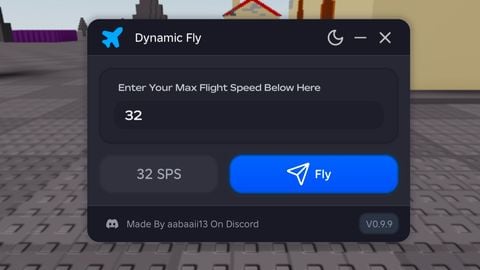
To turn it on or off, press F IT'S JUST FOR PC lol The GUI is in your head
Updates
Script edited: Create script
local Players = game:GetService("Players")
local RunService = game:GetService("RunService")
local StarterGui = game:GetService("StarterGui")
local UserInputService = game:GetService("UserInputService")

local colors = {
    Color3.fromRGB(255, 0, 0),
    Color3.fromRGB(255, 165, 0),
    Color3.fromRGB(255, 255, 0),
    Color3.fromRGB(0, 128, 0),
    Color3.fromRGB(0, 0, 255),
    Color3.fromRGB(75, 0, 130),
    Color3.fromRGB(238, 130, 238)
}
local colorIndex = 1

local player = Players.LocalPlayer
local character = player.Character or player.CharacterAdded:Wait()
local head = character:WaitForChild("Head")

local fpsLabel = Instance.new("BillboardGui")
fpsLabel.Parent = head
fpsLabel.Size = UDim2.new(0, 100, 0, 50)
fpsLabel.StudsOffset = Vector3.new(0, 2, 0)

local fpsTextLabel = Instance.new("TextLabel")
fpsTextLabel.Parent = fpsLabel
fpsTextLabel.Size = UDim2.new(1, 0, 1, 0)
fpsTextLabel.TextColor3 = Color3.new(1, 1, 1)
fpsTextLabel.BackgroundTransparency = 1
fpsTextLabel.TextScaled = true

local function formatFPS(fps)
    return string.format("%d FPS", math.floor(fps + 0.5))
end

local lastFrameTime = tick()
local frameCount = 0

RunService.RenderStepped:Connect(function()






unlocks fps? why is the key f..