593 Views
324 Executions
Copy locally
Universal Script 📌
3 weeks ago · Updated
Reviewed by QueueSherlockPaid revieweron How review works
Does it work?
No reports yetNo reports yet. Tried it? Be the first to say.
Also noticed:
Description
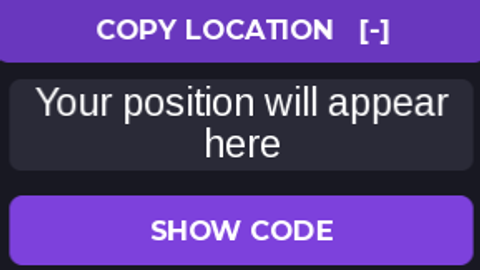
so you can copy your current location and create the script you want
Updates
Script edited: Edited during review before approval
local Players = game:GetService("Players")
local UIS = game:GetService("UserInputService")
local player = Players.LocalPlayer
local pg = player:WaitForChild("PlayerGui")

local old = pg:FindFirstChild("CopyLocation")
if old then old:Destroy() end

local gui = Instance.new("ScreenGui")
gui.Name = "CopyLocation"
gui.ResetOnSpawn = false
gui.DisplayOrder = 9999
gui.Parent = pg

local frame = Instance.new("Frame")
frame.Size = UDim2.fromOffset(300, 190)
frame.Position = UDim2.new(0.5, -150, 0.5, -95)
frame.BackgroundColor3 = Color3.fromRGB(24, 24, 34)
frame.BorderSizePixel = 0
frame.Active = true
frame.Parent = gui

Instance.new("UICorner", frame).CornerRadius = UDim.new(0, 12)

local title = Instance.new("TextButton")
title.Size = UDim2.new(1, 0, 0, 40)
title.BackgroundColor3 = Color3.fromRGB(105, 55, 190)
title.Text = "COPY LOCATION   [-]"
title.TextColor3 = Color3.new(1, 1, 1)
title.Font = Enum.Font.GothamBold
title.TextSize = 15
title.Parent = frame

Instance.new("UICorner", title).CornerRadius = UDim.new(0, 10)

local box = Instance.new("TextBox")
box.Position = UDim2.fromOffset(10, 50)
box.Size = UDim2.new(1, -20, 0, 55)
box.BackgroundColor3 = Color3.fromRGB(42, 42, 55)
box.TextColor3 = Color3.new(1, 1, 1)
Comments
0Log in to join the conversation. Login
No comments yet. Be the first!