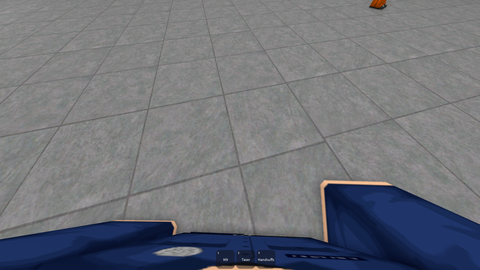
851 Views
557 Executions
Basic First Person script
Universal Script 📌
allr359First script
9 months ago
Please login to perform these actions:Does it work?
No reports yetNo reports yet. Tried it? Be the first to say.
Also noticed:
Description
Only features are a high FoV and you can see your body on first person. In some games it bugs when you reset and gets your camera stuck on first person until you rejoin.
-- initialize local variables
local camera = workspace.CurrentCamera
local player = game.Players.LocalPlayer
local character = player.Character
local humanoid = character.Humanoid

-- camera settings
player.CameraMaxZoomDistance = 0.5 -- force first person
camera.FieldOfView = 100
humanoid.CameraOffset = Vector3.new(0, 0, -1)

-- set and keep every body part Transparency to its real transparency
for childIndex, child in pairs(character:GetChildren()) do
    if child:IsA("BasePart") and child.Name ~= "Head" then

        child:GetPropertyChangedSignal("LocalTransparencyModifier"):Connect(function()
            child.LocalTransparencyModifier = child.Transparency
        end)

        child.LocalTransparencyModifier = child.Transparency

    end
end

-- if the player steps in a vehicle
camera:GetPropertyChangedSignal("CameraSubject"):Connect(function()
    if camera.CameraSubject:IsA("VehicleSeat") then
        camera.CameraSubject = humanoid
    end
end)





nice now i can see my dih