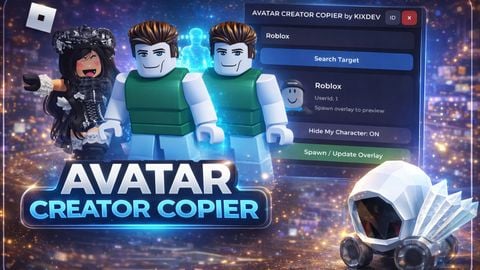
Copy AVATAR Copy Emotes FE Copy Animation Pack FE
Does it work?
Early reports100% say it works · 2 reports in the last 2 weeks · 1 this week
Description
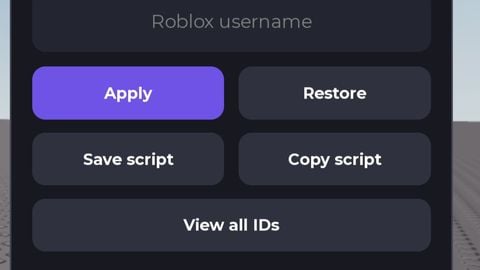
AVATAR CREATOR COPIER (Local Overlay Avatar Copy) A client-side (local-only) Roblox developer tool that lets you visually copy another player’s avatar by spawning a local overlay avatar on top of your character. Your real Roblox avatar and server data are never modified, and other players cannot see the overlay. Designed specifically for development. Main Function * Visually copy any player’s avatar using Username or UserId * Spawn a local overlay avatar that follows your character smoothly * No server changes, no avatar replacement, no identity changes * Safe for testing because it is 100% local-only How to Use * Enter a target Username or UserId in the UI * Click Spawn / Update Overlay to create the avatar overlay * The overlay will attach to your character and follow automatically * Enable Hide My Character to locally hide your real avatar * Click Remove Overlay to delete the overlay Controls & UI * Built-in clean, draggable UI * Mobile and desktop friendly (mouse & touch supported) * Target preview with name, UserId, and thumbnail Core Technical Features * Smooth follow using WeldConstraint on HumanoidRootPart (no jitter) * Real-time pose and animation mirroring via Motor6D.Transform * Mirrors idle, walk, run, jump, tool animations, and emotes (game-dependent) * Overlay parts are non-interactive (no collision, no physics, no triggers) Hotkeys * Hide Entire UI Press ( , ) comma * Safe to integrate with other local hotkey systems Primary Use Cases * Cosmetic and outfit QA testing * Rig and body type compatibility checks * Avatar preview inside the game environment Notes * Visual-only: hitbox, username, and server-side avatar remain unchanged * Results may vary in games with custom rigs or animation controllers



It's too big dumbas
When I use it in some games, my game restarts automatically and my items disappear from my hand and don't reappear. How can I fix this?
★★★★★
Is it visible to other players?
@Fadee People can't see each other when you put it on, only you can see it now, but others can't.
The Overlay and Moving
google
@vigiakenny sybau
olho