5.8k Views
285 Executions

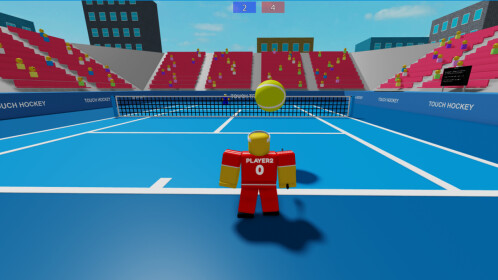
Auto win is a Touch Tennis script for Roblox, uploaded to ScriptBlox on Feb 21, 2025.
Does it work?
No reports yetNo reports yet. Tried it? Be the first to say.
Also noticed:
Description
Small gui with two auto win buttons
Updates
Script edited: Create script
local screenGui = Instance.new("ScreenGui")
screenGui.Parent = game.Players.LocalPlayer:WaitForChild("PlayerGui")

local mainFrame = Instance.new("Frame")
mainFrame.Size = UDim2.new(0, 200, 0, 150)
mainFrame.Position = UDim2.new(0.5, -100, 0.5, -75)
mainFrame.AnchorPoint = Vector2.new(0.5, 0.5)
mainFrame.BackgroundColor3 = Color3.new(0, 0, 0)
mainFrame.Parent = screenGui

local textLabel = Instance.new("TextLabel")
textLabel.Size = UDim2.new(1, 0, 0, 30)
textLabel.Position = UDim2.new(0, 0, 0, 10)
textLabel.Text = "Auto win (can't be stopped), by alvimkag523"
textLabel.TextColor3 = Color3.new(1, 1, 1)
textLabel.BackgroundTransparency = 1
textLabel.Parent = mainFrame


local blueButton = Instance.new("TextButton")
blueButton.Size = UDim2.new(0, 80, 0, 30)
blueButton.Position = UDim2.new(0, 10, 1, -40)
blueButton.Text = "Blue team"
blueButton.BackgroundColor3 = Color3.new(0, 0, 1)
blueButton.TextColor3 = Color3.new(1, 1, 1)
blueButton.Parent = mainFrame

local redButton = Instance.new("TextButton")
redButton.Size = UDim2.new(0, 80, 0, 30)
redButton.Position = UDim2.new(1, -90, 1, -40)
redButton.Text = "Red team"
redButton.BackgroundColor3 = Color3.new(1, 0, 0)
redButton.TextColor3 = Color3.new(1, 1, 1)
redButton.Parent = mainFrame

blueButton.MouseButton1Click:Connect(function()
    while true do
local args = {
    [1] = "B"
}


dosent work