89 Views
26 Executions
peak killaura n raider
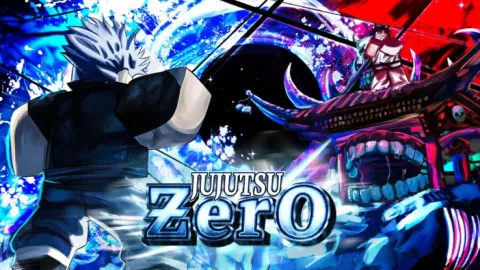
Jujutsu: Zero
3 days ago · Updated
Reviewed by QueueSpeedDemonPaid revieweron How review works
peak killaura n raider is a Jujutsu: Zero script for Roblox, uploaded to ScriptBlox on Nov 1, 2026. Reviewed by a person on Nov 4, 2026.
Does it work?
No reports yetNo reports yet. Tried it? Be the first to say.
Also noticed:
Description
has a kill aura (use select player, click on your torso, set hits/sec, then enable) hollow purple tab works best (more cdr = more dmg) can deal like 30T in 10 seconds or so the raider works by selecting your character, clicking on your torso, selecting a position and pressing h to turn off/on and j to reset the position to normal. enjoy! dc: waitwhatismyuser
--normal
-- ============================================================
-- OJBS Suite — custom GUI, RightCtrl rail, three modules
-- ============================================================
if getgenv().OJBS_Cleanup then pcall(getgenv().OJBS_Cleanup) end

local Players           = game:GetService("Players")
local ReplicatedStorage = game:GetService("ReplicatedStorage")
local RunService        = game:GetService("RunService")
local UIS               = game:GetService("UserInputService")
local TweenService      = game:GetService("TweenService")
local HttpService       = game:GetService("HttpService")
local Workspace         = game:GetService("Workspace")

local LP    = Players.LocalPlayer
local Mouse = LP:GetMouse()

local TOGGLE_KEY = Enum.KeyCode.RightControl
local USE_EMOJI  = true
local WINDOW_W, WINDOW_H = 600, 442
local RAIL_W, RAIL_OFF  = 58, 24
local TAB_W = 84
local MOTION = 1.4   -- global multiplier on every tween duration

local FONT_MONO  = Enum.Font.Code    -- body / values
local FONT_TITLE = Enum.Font.Arcade  -- titles / badge

-- everything below is persisted to CONFIG_FILE
local STYLE = {
    bg      = { m1 = "studs", tp = "crt", crate = "grid" },
    opacity = 0.55,  -- pattern strength 0..1
    scan    = true,  -- scanline overlay
    glow    = true,  -- halos behind widgets
    round   = 4,     -- corner radius cap, px (0 = sharp)
    outline = 1,     -- stroke thickness multiplier
    scale   = 1,     -- window scale
    image   = { m1 = "", tp = "", crate = "" },  -- per-window background source
    imgTrans = 0.5,  -- image transparency 0..1
    imgFit  = "Crop",
}
Comments
0Log in to join the conversation. Login
No comments yet. Be the first!