
3.4k Views
1.3k Executions
Backrooms VR Admin Floor 0 to 7
The Backrooms VR: Escape
FA_DEVFirst script
11 months ago
Please login to perform these actions:Backrooms VR Admin Floor 0 to 7 is a The Backrooms VR: Escape script for Roblox, uploaded to ScriptBlox on Dec 9, 2025.
Does it work?
No reports yetNo reports yet. Tried it? Be the first to say.
Also noticed:
Description
IT'S ONLY IN EARLY DEVELOMPENT so don't expect many features.
local Players = game:GetService("Players")
local Workspace = game:GetService("Workspace")

local TweenService = game:GetService("TweenService")
local UserInputService = game:GetService("UserInputService")
local RunService = game:GetService("RunService")

local player = Players.LocalPlayer
local character = player.Character or player.CharacterAdded:Wait()
local playerGui = player:WaitForChild("PlayerGui")
local character = player.Character or player.CharacterAdded:Wait()

-- Configure button names and custom colors here
local buttonNames = {
	{name = "Lobby", color = Color3.fromRGB(255, 255, 0)},
	{name = "Endless", color = Color3.fromRGB(255, 255, 0)},
	{name = "Floor 0 (Tutorial Floor)", color = Color3.fromRGB(255, 255, 0)},
	{name = "Floor 1 (Parking Garage)", color = Color3.fromRGB(111, 111, 111)},
  	{name = "Floor 2 (The Pool)", color = Color3.fromRGB(0, 255, 255)},
	{name = "Floor 3 (The Hotel)", color = Color3.fromRGB(255, 0, 98)},
	{name = "Floor 4 (The Facility)", color = Color3.fromRGB(106, 54, 41)},
	{name = "Floor 5 (Infinity Plane)", color = Color3.fromRGB(252, 252, 252)},
	{name = "Floor 6 (Cave System)", color = Color3.fromRGB(18, 0, 153)},
	{name = "Floor 7 (The Playplace)", color = Color3.fromRGB(255, 0, 255)},
}

local GUI_NAME = "LocalAdminGUI"
local MAIN_SIZE_OPEN = UDim2.new(0, 360, 0, 420)
local MOBILE_SIZE_OPEN = UDim2.new(0, 260, 0, 220)
local MAIN_SIZE_CLOSED = UDim2.new(0, 60, 0, 60)
local MOBILE_SIZE_CLOSED = UDim2.new(0, 30, 0, 30)
local TWEEN_INFO = TweenInfo.new(0.22, Enum.EasingStyle.Quad, Enum.EasingDirection.Out)
local UIS = game:GetService("UserInputService")
local enabled = false

UIS.InputBegan:Connect(function(input,gameProcessedEvent)
	if input.KeyCode == Enum.KeyCode.U then
		if enabled == false then
			enabled = true
			local plrGui = game.Players.LocalPlayer:WaitForChild("PlayerGui")
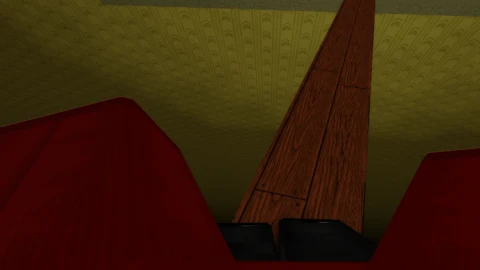


You cannot press buttons with your cursor manually on PC, because of the game putting you in first person. Please add a way you can press buttons!
@brycevelasco2 this is exactly what I want
@brycevelasco2 sorry, I created script for myself and I usually "play" on mobile. I will fix try that!
Now you can press U to unlock/lock mouse
(also thanks for report)