835 Views
1.4k Executions
auto carve
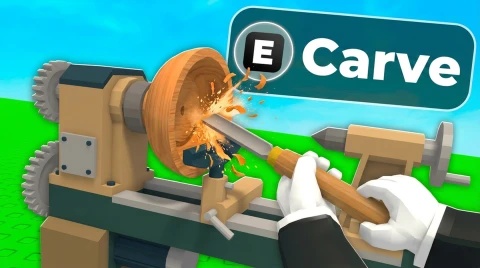
Carve Wood
2 months ago · Updated
Reviewed by QueueSherlockPaid revieweron How review works
auto carve is a Carve Wood script for Roblox, uploaded to ScriptBlox on Oct 4, 2026. Reviewed by a person on Oct 10, 2026.
Does it work?
No reports yetNo reports yet. Tried it? Be the first to say.
Also noticed:
Description
auto carve for carve wood game yes this is made by ai
--[[
	woodcarving_perfect.luau  —  BUILD 2026-10-04b
	Carve Wood (place 82712304391069): carves the log on your Wood Lathe to exactly
	the target shape → 100% accuracy.

	How it works (from the decompiled client):
	  • LatheController keeps Cylinder.Profile (your log) and AccuracyCalculator.TargetProfile
	    (the target). Accuracy = Progress × (1 − overcut penalty); every slice == target → 100.
	  • WoodCarving:CompleteLatheWork() sends SaveCarvedWood { Serialized = your log,
	    TargetSerialized = the client-generated target, ... }, so matching radii is all that counts.
	  • We cut the radii with Profile:SetRadius + Cylinder:UpdateSlices (same path the chisel
	    uses) and set HasModifiedWood so the game's own Confirm button works.

	Finding the lathe (no per-frame / periodic memory scans):
	  1. Hook LatheController.Update + WoodCarving.RenderStep through require() → the game hands
	     us `self` every frame for free.
	  2. Fallback if the hook never fires: ONE getgc pass when the lathe's "TargetGhostMesh"
	     appears (i.e. once per lathe entry), never on a timer.

	Usage: run it, sit at the lathe. Each log is carved down to the target over CARVE_SECONDS,
	then press the game's Confirm (or set AUTO_CONFIRM = true). Carve Next works too.
	Toggle on/off: TOGGLE_KEY.  Re-running the script replaces the old instance.
]]

local BUILD = "2026-10-04b"

-- ── config ─────────────────────────────────────────────────────────────────
local CFG = {
	CARVE_SECONDS = 6, -- time to cut a log from its current shape down to the target (0 = instant)
	STEP_HZ = 15, -- carve + mesh updates per second (lower = lighter on FPS, carving looks choppier)
	ONLY_REDUCE = true, -- true: never add wood back (like a real chisel). Slices you already
	--                     overcut stay overcut and are reported. false: also raise them to target.
	AUTO_CONFIRM = false, -- true: call the game's CompleteLatheWork() once a log hits 100%
	AUTO_CONFIRM_DELAY = 0.75, -- seconds to wait at 100% before auto-confirming
	TOGGLE_KEY = Enum.KeyCode.RightBracket,
	VERBOSE = true,
}

local TAG = "[wcperfect " .. BUILD .. "]"
local function log(...)







Worked on Delta!!