firehub | Autofarm, Auto quest , esp , , player mods

Reviewed by QueueSpeedDemonPaid revieweron How review works
firehub | Autofarm, Auto quest , esp , , player mods is a The Forge script for Roblox, uploaded to ScriptBlox on Nov 15, 2026. Reviewed by a person on Nov 18, 2026.
Does it work?
Early reports100% say it works · 1 report in the last 2 weeks
Doesn't work on Xeno or Solara. The uploader marked it.
Description
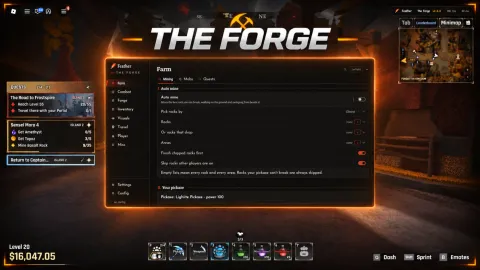
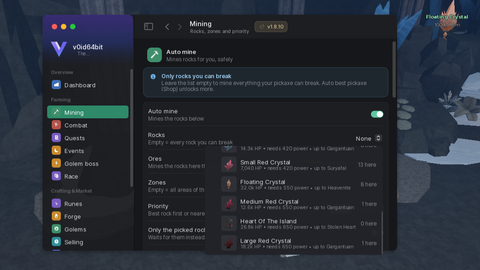
# fire / .gg/firescript ### the forge **autofarm** - one toggle to get started, smart mining is selected by default - checks the pickaxe you actually have equipped before picking a rock - goes for stronger rocks when you can break them quickly, instead of avoiding them just because they have more hp - takes travel time into account and adjusts its break-time estimate from observed mining progress - updates target selection when you switch pickaxes - smart, nearest and ore-priority modes - adjustable quick-break target, set to 15 seconds by default - choose specific rocks, possible ores or a mining area - leave the rock and ore filters empty to farm automatically - mine above, underneath or beside rocks - tween or teleport movement - adjustable movement speed, mining distance, swing interval and teleport delay - custom x, y and z offsets, plus pitch, yaw and roll - skip occupied rocks or avoid nearby players - lava options: off, skip the target or move above it - pause at low health and resume once you’ve recovered - pause when storage is full - fight nearby mobs while mining - skip rocks that stop taking damage - manually skip the current target - camera lock with adjustable follow speed - stop after a set time, total ore gains or a chosen ore inventory count - per-ore priorities from 0–5 - copy ore-rate reports or send them to your webhook - reset tracking counters, clear filters or restore smart defaults **combat** - farm selected mobs or leave the selection empty for all - nearest-target or preferred-mob priority - fight above, underneath, beside or behind the target - tween and teleport movement - adjustable attack interval, movement speed and combat distance - separate combat offsets and rotation settings - reactive blocking - manual block and stop-block buttons - reactive dodge above attacking mobs, with adjustable height and trigger range - separate lava handling for combat - target camera lock - resume combat button **shops & potions** - pickaxe and potion selection - purchase buttons with adjustable potion amounts - travel to the selected potion shop - open or close the purchase menu - failed shop-session recovery - auto-buy your selected potion below a chosen stock amount - adjustable purchase-check interval - use potions manually or on a timer - separate low-health potion rule - choose the health threshold and minimum time between uses **inventory & selling** - select which ores and materials to sell - manual selling or automatic selling on an interval - vendor selling, plus the game’s sell-anywhere method where permitted - adjustable sell amount and minimum amount to keep - sell only when your bag reaches a chosen fill percentage - add ore rarities to the automatic sell list - protect specific ores or entire ore rarities - set individual ore reserves, like `Iron=20,Stone=10` - reserve materials for your current forge recipe - favorite-item protection and equipped-weapon protection - sell a selected weapon - open the material or weapon sell menus - travel to the material and weapon vendors - equip your strongest owned pickaxe manually or automatically - enhance the selected equipment through the enhancer interface, with a level limit - inventory export **forging & index** - four recipe slots with separate ore amounts - ore choices populated from your inventory - weapon or armor crafting - repeated forging with an adjustable interval - fast-forge setting through the native forge interface - open the forge, travel to it or
loadstring(game:HttpGet("https://firehub.lol/load"))()