378 Views
824 Executions
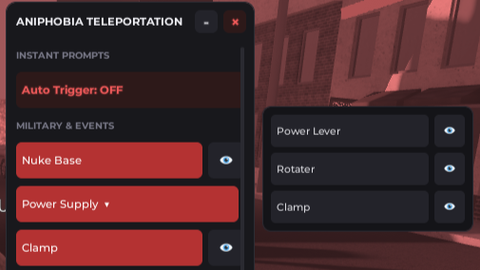
TELEPORATION SCRIPT
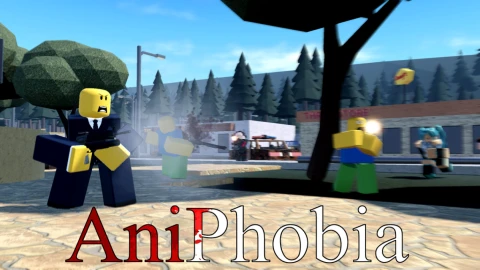
AniPhobia
GumaheroishereFirst script
3 months ago
Please login to perform these actions:TELEPORATION SCRIPT is an AniPhobia script for Roblox, uploaded to ScriptBlox on Jul 30, 2026.
Does it work?
No reports yetNo reports yet. Tried it? Be the first to say.
Also noticed:
Description
Hello! This is Aniphobia Teleporation GUI, but it focuses on getting a key and code. Yes, you might comment that teleport straight to the item was more easier, but that method work when I available to detect the location of the item when it spawned near player to prevents lag. Anyways, enjoy the script :D I might add more location in the future.
local Players = game:GetService("Players")
local LocalPlayer = Players.LocalPlayer
local TweenService = game:GetService("TweenService")
local UserInputService = game:GetService("UserInputService")
local Workspace = game:GetService("Workspace")

-- 1. Main UI Elements
local ScreenGui = Instance.new("ScreenGui")
ScreenGui.Name = "FancyHubGUI"
ScreenGui.ResetOnSpawn = false
ScreenGui.Parent = LocalPlayer:WaitForChild("PlayerGui")

-- Main Frame (The Panel)
local MainFrame = Instance.new("Frame")
MainFrame.Size = UDim2.new(0, 260, 0, 570)
MainFrame.Position = UDim2.new(0.5, -130, 0.4, -285)
MainFrame.BackgroundColor3 = Color3.fromRGB(24, 24, 28)
MainFrame.BorderSizePixel = 0
MainFrame.Active = true
MainFrame.ClipsDescendants = false
MainFrame.Parent = ScreenGui

local UICorner = Instance.new("UICorner")
UICorner.CornerRadius = UDim.new(0, 10)
UICorner.Parent = MainFrame

local UIStroke = Instance.new("UIStroke")
UIStroke.Color = Color3.fromRGB(45, 45, 52)
UIStroke.Thickness = 1
UIStroke.Parent = MainFrame

-- Title Bar Frame
local TitleBar = Instance.new("Frame")
TitleBar.Size = UDim2.new(1, 0, 0, 40)
TitleBar.BackgroundTransparency = 1
TitleBar.Parent = MainFrame

-- Title Text
local Title = Instance.new("TextLabel")
Title.Size = UDim2.new(1, -70, 1, 0)
Comments
0Log in to join the conversation. Login
No comments yet. Be the first!