Leliks Scripts Free Version
+1 Speed Keyboard Escape
Leliks Scripts Free Version is a +1 Speed Keyboard Escape script for Roblox, uploaded to ScriptBlox on Jun 14, 2026.
Does it work?
No reports yetNo reports yet. Tried it? Be the first to say.
Description
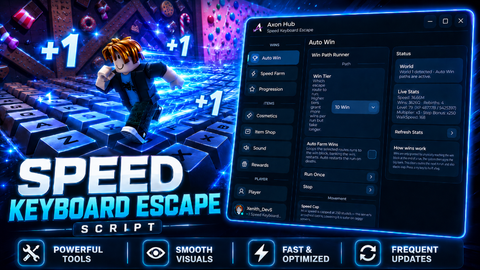
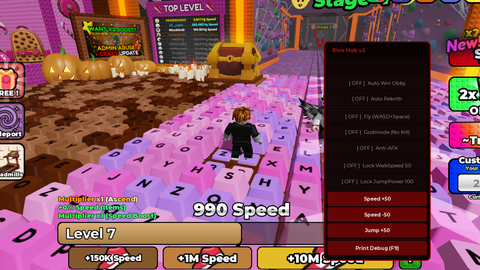
Speedhack & Speed Slider: Adjust your speed from 20 to 1000 using a custom slider. When turned off, it smoothly returns to the game's default speed (16). Super Jump: Locks your jump power at 150, allowing you to leap over massive obstacles and buildings in a single bound. Infinite Jump: Allows you to jump continuously in mid-air without ever touching the ground, making it feel like you're flying. Noclip (Walk Through Walls): Disables physical collisions, letting you walk seamlessly through locked doors, thick walls, and all physical obstacles. Player ESP: Adds a highly visible glow (Highlight) to all other players, allowing you to easily spot them from a distance, even behind walls. No Gravity: Completely zeroes out the game's gravity. When you jump or fall, you'll just float and drift in the air. Fullbright: Maximizes ambient lighting and locks the game time to daytime, making even the darkest corners perfectly bright. Advanced Multi-Language Support: You can use the menu in 9 different languages via the settings: English, Turkish, Spanish, French, German, Russian, Portuguese, Japanese, and Korean. Mobile-Focused Blue Button: To prevent screen clutter, a special blue-bordered toggle button is hidden for PC players and only appears for those playing on mobile phones or tablets. Smart Drag & Drop: You can drag both the main menu and the small mobile button anywhere on your screen. It has a smart system that prevents the menu from accidentally opening or closing while you are dragging it. Custom Keybind: If you are playing on a PC, you can easily change the menu toggle key to any other key on your keyboard. Profile Indicator: A sleek info bar at the bottom of the menu automatically fetches and displays your current Roblox username and avatar picture.
loadstring(game:HttpGet("https://pastebin.com/raw/axvhaiJU"))()