
6.9k Views
1.6k Executions
M1 work at pizza place script
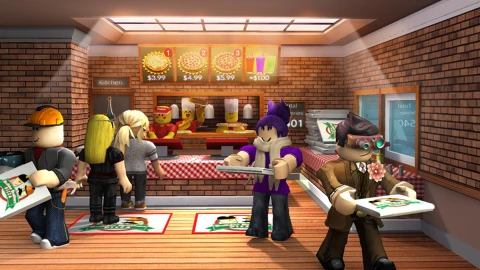
Work at a Pizza Place
boingboingPublished 10
1 year ago
Please login to perform these actions:M1 work at pizza place script is a Work at a Pizza Place script for Roblox, uploaded to ScriptBlox on Aug 29, 2025.
Does it work?
No reports yetNo reports yet. Tried it? Be the first to say.
Also noticed:
Description
idk what to say
--Work at a pizza place script
--By M1zz

-- Creating the GUI
local Gui = Instance.new("ScreenGui")
Gui.Name = "M1 Script"
Gui.Parent = game:GetService("CoreGui")

-- Creating the UI elements
local Frame = Instance.new("Frame")
Frame.Name = "MainFrame"
Frame.Parent = Gui
Frame.BackgroundColor3 = Color3.fromRGB(0, 0, 0)
Frame.BorderSizePixel = 0
Frame.Position = UDim2.new(0.35, 0, 0.4, 0)
Frame.Size = UDim2.new(0, 200, 0, 150)
Frame.Active = true
Frame.Draggable = true

local Title = Instance.new("TextLabel")
Title.Name = "TitleLabel"
Title.Parent = Frame
Title.BackgroundColor3 = Color3.fromRGB(0, 0, 0)
Title.BorderSizePixel = 0
Title.Text = "M1 Script"
Title.TextColor3 = Color3.fromRGB(255, 255, 255)
Title.TextScaled = true
Title.Position = UDim2.new(0, 0, 0, 0)
Title.Size = UDim2.new(1, 0, 0.2, 0)

local CloseButton = Instance.new("TextButton")
CloseButton.Name = "CloseButton"
CloseButton.Parent = Frame
CloseButton.BackgroundColor3 = Color3.fromRGB(255, 0, 0)
CloseButton.BorderSizePixel = 0
CloseButton.Text = "X"
CloseButton.Position = UDim2.new(0.9, 0, 0, 0)
CloseButton.Size = UDim2.new(0.1, 0, 0.2, 0)
CloseButton.TextColor3 = Color3.fromRGB(255, 255, 255)
CloseButton.TextScaled = true



Visual?
How do you change it to your own username
No me funciona bro🥀🥀
does not work at all
whats this for 8