124 Views
6.4k Executions
smooth fly
Universal Script 📌
4 days ago · Updated
Reviewed by QueueSherlockPaid revieweron How review works
Does it work?
No reports yetNo reports yet. Tried it? Be the first to say.
Also noticed:
Description
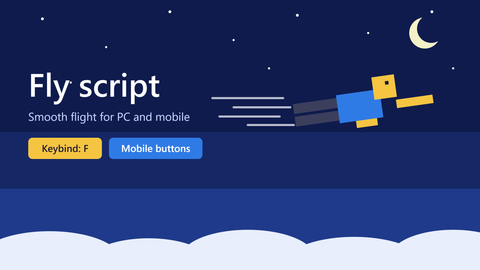
Features: - Toggle flight on/off with a button or the F key - Fly in the direction your camera is facing - Mobile support with on-screen FLY, Up and Down buttons - Works with the default mobile joystick - Clean on/off state, resets automatically when your character respawns Controls: PC: F = toggle, WASD = move, Space = up, Left Ctrl = down Mobile: Tap FLY, use the joystick to move, hold the arrows to go up or down
local Players = game:GetService("Players")
local UIS = game:GetService("UserInputService")
local RunService = game:GetService("RunService")

local player = Players.LocalPlayer
local camera = workspace.CurrentCamera

local FLY_KEY = Enum.KeyCode.F
local SPEED = 60

local flying = false
local upHeld, downHeld = false, false
local bv, bg, conn

-- Movement vector for both keyboard (WASD) and mobile joystick
local controls = require(player:WaitForChild("PlayerScripts"):WaitForChild("PlayerModule")):GetControls()

---------------------------------------------------------------------
-- GUI
---------------------------------------------------------------------
local gui = Instance.new("ScreenGui")
gui.Name = "FlyGui"
gui.ResetOnSpawn = false
gui.Parent = player:WaitForChild("PlayerGui")

local function makeButton(text, size, pos)
	local b = Instance.new("TextButton")
	b.Size = size
	b.Position = pos
	b.Text = text
	b.TextScaled = true
	b.Font = Enum.Font.GothamBold
	b.TextColor3 = Color3.new(1, 1, 1)
	b.BackgroundColor3 = Color3.fromRGB(40, 40, 40)
	b.BackgroundTransparency = 0.25
	b.AutoButtonColor = true
	b.Parent = gui

	local corner = Instance.new("UICorner")
	corner.CornerRadius = UDim.new(0, 12)
Comments
0Log in to join the conversation. Login
No comments yet. Be the first!