33.3k Views
139 Executions
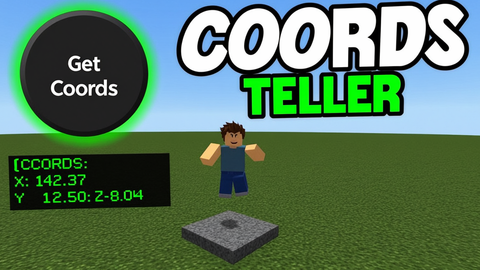
simple coordinates script [KEYLESS}
Universal Script 📌
3 days ago · Updated
Reviewed by MatttsPaid revieweron How review works
Does it work?
Early reports0% say it works · 1 report in the last 2 weeks
Why it doesn't work Detected 1
Also noticed:
Description
outputs in the terminal of your executor and can be used with a simple ui button. tested on volt only
Notes
1--// Coordinates Teller - one-shot on-screen button
local Players = game:GetService("Players")
local UIS = game:GetService("UserInputService")
local lp = Players.LocalPlayer
-- kill any previous instance
if getgenv()._coordCleanup then pcall(getgenv()._coordCleanup) end
local state = { conns = {} }
getgenv()._coordCleanup = function()
for _, c in ipairs(state.conns) do pcall(function() c:Disconnect() end) end
if state.gui then pcall(function() state.gui:Destroy() end) end
end
local function getHRP()
local char = lp.Character
if not char then return nil end
return char:FindFirstChild("HumanoidRootPart")
end
------------------------------------------------------------
-- GUI
------------------------------------------------------------
local sg = Instance.new("ScreenGui")
sg.Name = "CoordTellerGui"
sg.ResetOnSpawn = false
sg.IgnoreGuiInset = true
sg.DisplayOrder = 999
do
local ok = pcall(function() sg.Parent = gethui() end)
if not ok or not sg.Parent then sg.Parent = lp:WaitForChild("PlayerGui") end
end
state.gui = sg
local btn = Instance.new("TextButton")
btn.Size = UDim2.fromOffset(120, 40)
btn.Position = UDim2.new(0, 20, 0, 100)
btn.BackgroundColor3 = Color3.fromRGB(45, 45, 50)
btn.TextColor3 = Color3.fromRGB(235, 235, 235)
Comments
0Log in to join the conversation. Login
No comments yet. Be the first!