347 Views
246 Executions
pancake executioner
Universal Script 📌
flat_pancakePublished 5
8 months ago
Please login to perform these actions:Does it work?
No reports yetNo reports yet. Tried it? Be the first to say.
Also noticed:
Description
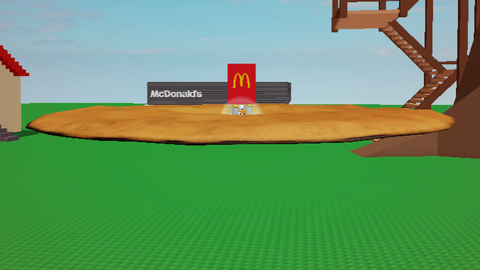
pancake anyone to a pancake yes true pancake --/ Enter anyone's name on the GUI then press FLATTEN THEM NOW!??! and done
local lp = game.Players.LocalPlayer
local char = lp.Character or lp.CharacterAdded:Wait()
local root = char:WaitForChild("HumanoidRootPart")
local playerGui = lp:WaitForChild("PlayerGui")

local screenGui = Instance.new("ScreenGui", playerGui)
screenGui.Name = "pancake executioner 3000"
screenGui.ResetOnSpawn = false

local frame = Instance.new("Frame", screenGui)
frame.Name = "Main"
frame.Size = UDim2.new(0, 250, 0, 150)
frame.Position = UDim2.new(0.5, -125, 0.5, -75)
frame.BackgroundColor3 = Color3.fromRGB(40, 40, 40)
frame.BorderSizePixel = 0
frame.Active = true
frame.Draggable = true

local title = Instance.new("TextLabel", frame)
title.Name = "Title"
title.Size = UDim2.new(1, 0, 0, 30)
title.Text = "pancake executioner"
title.TextColor3 = Color3.new(1, 1, 1)
title.BackgroundColor3 = Color3.fromRGB(255, 170, 0)
title.BorderSizePixel = 0

local playerInput = Instance.new("TextBox", frame)
playerInput.Name = "UserField"
playerInput.Size = UDim2.new(0.9, 0, 0, 30)
playerInput.Position = UDim2.new(0.05, 0, 0.3, 0)
playerInput.PlaceholderText = "enter username..."
playerInput.Text = ""

local flattenBtn = Instance.new("TextButton", frame)
flattenBtn.Name = "ExecuteBtn"
flattenBtn.Size = UDim2.new(0.9, 0, 0, 40)
flattenBtn.Position = UDim2.new(0.05, 0, 0.6, 0)
flattenBtn.BackgroundColor3 = Color3.fromRGB(200, 0, 0)
flattenBtn.Text = "FLATTEN THEM NOW!!!??"
flattenBtn.TextColor3 = Color3.new(1, 1, 1)




What is this?
wanna squash someone to a pancake then you can @Gmiler_lol