
Does it work?
No reports yetNo reports yet. Tried it? Be the first to say.
Description
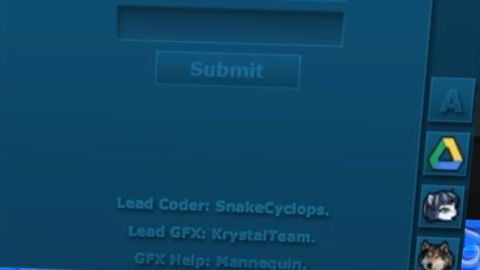
-- إنشاء الواجهة الرسومية في مكان متوافق تماماً مع Delta الأندرويد local ScreenGui = Instance.new("ScreenGui") ScreenGui.Name = "RC7_Delta_Fix" ScreenGui.Parent = game:GetService("Players").LocalPlayer:WaitForChild("PlayerGui") ScreenGui.ResetOnSpawn = false -- النافذة الرئيسية (اللون الأزرق الداكن لـ RC7) local MainFrame = Instance.new("Frame") MainFrame.Name = "MainFrame" MainFrame.Parent = ScreenGui MainFrame.BackgroundColor3 = Color3.fromRGB(14, 45, 68) MainFrame.BorderSizePixel = 0 MainFrame.Position = UDim2.new(0.5, -150, 0.5, -125) MainFrame.Size = UDim2.new(0, 300, 0, 250) MainFrame.Active = true MainFrame.Draggable = true -- لكي تتحرك بسلاسة عند سحبها باللمس -- شريط العنوان العلوي local TopBar = Instance.new("TextLabel") TopBar.Parent = MainFrame TopBar.Size = UDim2.new(1, 0, 0, 25) TopBar.BackgroundTransparency = 1 TopBar.Text = " R C 7 R e m a k e" TopBar.TextColor3 = Color3.fromRGB(150, 180, 200) TopBar.TextXAlignment = Enum.TextXAlignment.Left TopBar.Font = Enum.Font.SourceSansBold TopBar.TextSize = 14 --------------------------------------------------------- -- [1] واجهة تسجيل الدخول (Login Frame) --------------------------------------------------------- local LoginFrame = Instance.new("Frame") LoginFrame.Name = "LoginFrame" LoginFrame.Parent = MainFrame LoginFrame.BackgroundTransparency = 1 LoginFrame.Size = UDim2.new(1, 0, 1, -25) LoginFrame.Position = UDim2.new(0, 0, 0, 25) local LoginTitle = Instance.new("TextLabel") LoginTitle.Parent = LoginFrame LoginTitle.Text = "LOGIN" LoginTitle.Font = Enum.Font.SourceSansBold LoginTitle.TextSize = 32 LoginTitle.TextColor3 = Color3.fromRGB(9, 29, 44) LoginTitle.Position = UDim2.new(0, 0, 0.05, 0) LoginTitle.Size = UDim2.new(1, 0, 0, 40) LoginTitle.BackgroundTransparency = 1 -- خانة اسم المستخدم (ppp) local UserInput = Instance.new("TextBox") UserInput.Parent = LoginFrame UserInput.PlaceholderText = "username" UserInput.Text = "" UserInput.BackgroundColor3 = Color3.fromRGB(10, 33, 50) UserInput.TextColor3 = Color3.fromRGB(0, 180, 255) UserInput.Size = UDim2.new(0.8, 0, 0, 35) UserInput.Position = UDim2.new(0.1, 0, 0.3, 0) UserInput.TextSize = 16 -- خانة كلمة المرور (ttt) local PassInput = Instance.new("TextBox") PassInput.Parent = LoginFrame PassInput.PlaceholderText = "password" PassInput.Text = "" PassInput.BackgroundColor3 = Color3.fromRGB(10, 33, 50) PassInput.TextColor3 = Color3.fromRGB(0, 180, 255) PassInput.Size = UDim2.new(0.8, 0, 0, 35) PassInput.Position = UDim2.new(0.1, 0, 0.5, 0) PassInput.TextSize = 16 -- زر Submit local SubmitBtn = Instance.new("TextButton") SubmitBtn.Parent = LoginFrame SubmitBtn.Text = "Submit" SubmitBtn.BackgroundColor3 = Color3.fromRGB(12, 40, 60) SubmitBtn.TextColor3 = Color3.fromRGB(100, 150, 180) SubmitBtn.Size = UDim2.new(0.4, 0, 0, 30) SubmitBtn.Position = UDim2.new(0.3, 0, 0.7, 0) SubmitBtn.TextSize = 16 --------------------------------------------------------- -- [2] لوحة كتابة وتنفيذ السكربتات (Executor Frame) --------------------------------------------------------- local ExecutorFrame = Instance.new("Frame") ExecutorFrame.Name = "ExecutorFrame" ExecutorFrame.Parent = MainFrame ExecutorFrame.BackgroundTransparency = 1 ExecutorFrame.Size = UDim2.new(1, 0, 1, -25) ExecutorFrame.Position = UDim2.new(0, 0, 0, 25) ExecutorFrame.Visible = false -- مخفي في البداية -- صندوق النص الكبير لكتابة الاسكربتات local ScriptBox = Instance.new("TextBox") ScriptBox.Parent = ExecutorFrame ScriptBox.PlaceholderText = "-- الصق سكربتك هنا واضغط Execu