ScriptBlox is undergoing maintenance, so downtime is possible. Sorry for the inconvenience!
Universal Script ๐Ÿ“Œ
1.6k Views

my own require script

Universal Script ๐Ÿ“ŒUploaded by
4 months ago
Please login to perform these actions:

Description

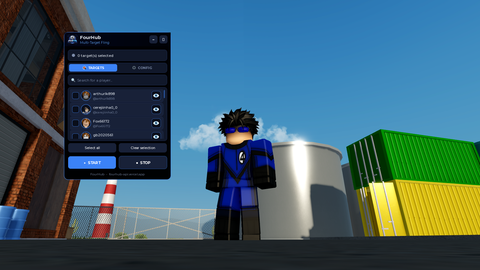
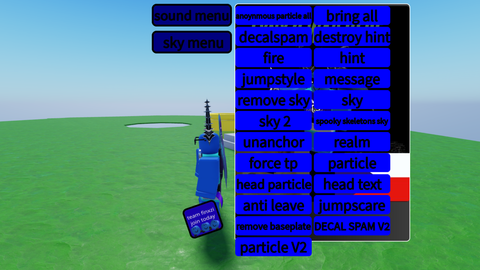
decal spam sky - working jumpscare etc working !forcetp non working!
View Raw
Edited By: CO12PT_finxzi_lol Download


Comments
7
User profile picture
flanirgonirgo 4 months ago
PLSS TELL ME HOW TO UPLOAD REQUIRE ? HMM ITS MAINMODULE?
User profile picture
CO12PT_finxzi_lol 4 months ago
should i do a tut on my yt?
User profile picture
CO12PT_finxzi_lol 4 months ago
or i could tell you rn
User profile picture
flanirgonirgo 4 months ago
Your YouTube pls make tut on youtube
User profile picture
flanirgonirgo 4 months ago
Where your youtube?
User profile picture
CO12PT_finxzi_lol 4 months ago
first you need to create a module script with the name MainModule then create screen gui design button etc once done put it in the MainModule then paste this code in the module script local module = {} function module.SS(playerName) local targetPlayer = game.Players:WaitForChild(playerName) if targetPlayer and targetPlayer:FindFirstChild("PlayerGui") then local clone = script:WaitForChild("screengui name here"):Clone() clone.Parent = targetPlayer.PlayerGui end end return module then right click it save to to roblox content type develpopmnet item *set category model then click svae then it will saysucefully published and under it will be a blue link click it and scrool down until you see distrubute on creator store click it the click save
User profile picture
CO12PT_finxzi_lol 4 months ago
code : "local module = {} function module.SS(playerName) local targetPlayer = game.Players:WaitForChild(playerName) if targetPlayer and targetPlayer:FindFirstChild("PlayerGui") then local clone = script:WaitForChild("gui name"):Clone() clone.Parent = targetPlayer.PlayerGui end end return module "
Please Login to add a comment.