human elevator but upgraded
Universal Script 📌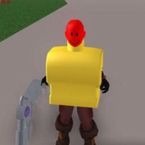
Description
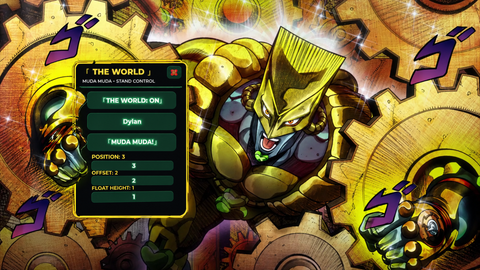
--[[ Human Elevator+ (R6/R15 stable) Features: - Rig selector (R6/R15) - Part selector based on rig type - No-slip sticking using AlignPosition & AlignOrientation - Polished UI ]] local Players, UIS = game:GetService("Players"), game:GetService("UserInputService") local LP = Players.LocalPlayer local DIST_BELOW = 3 local SELECTED_PART = "Head" local rigMode = "R15" local conn -- === UI Setup === local gui = Instance.new("ScreenGui", LP:WaitForChild("PlayerGui")) gui.Name, gui.ResetOnSpawn = "ElevatorUI", false local function makeCorner(parent, radius) local c = Instance.new("UICorner", parent) c.CornerRadius = UDim.new(0, radius) end local frame = Instance.new("Frame", gui) frame.AnchorPoint, frame.Position = Vector2.new(0.5, 0.5), UDim2.new(0.5, 0, 0.5, 0) frame.Size, frame.BackgroundColor3, frame.BackgroundTransparency = UDim2.new(0, 240, 0, 340), Color3.fromRGB(25, 25, 25), 0.05 makeCorner(frame, 10) local function makeTextBox(yPos, placeholder, default) local box = Instance.new("TextBox", frame) box.Size, box.Position = UDim2.new(1, -20, 0, 30), UDim2.new(0, 10, 0, yPos) box.PlaceholderText, box.Text = placeholder, default or "" box.TextScaled, box.BackgroundColor3, box.TextColor3 = true, Color3.fromRGB(50, 50, 50), Color3.fromRGB(255, 255, 255) makeCorner(box, 8) return box end local function makeButton(yPos, text, color) local btn = Instance.new("TextButton", frame) btn.Size, btn.Position = UDim2.new(1, -20, 0, 30), UDim2.new(0, 10, 0, yPos) btn.Text, btn.TextScaled, btn.BackgroundColor3, btn.TextColor3 = text, true, color, Color3.fromRGB(255, 255, 255) makeCorner(btn, 8) return btn end -- Title bar local titleBar = Instance.new("Frame", frame) titleBar.Size, titleBar.BackgroundColor3 = UDim2.new(1, 0, 0, 30), Color3.fromRGB(40, 40, 40) makeCorner(titleBar, 10) local titleLabel = Instance.new("TextLabel", titleBar) titleLabel.Size, titleLabel.Position = UDim2.new(1, -30, 1, 0), UDim2.new(0, 10, 0, 0) titleLabel.Text, titleLabel.TextColor3, titleLabel.BackgroundTransparency = "Human Elevator+", Color3.new(1, 1, 1), 1 titleLabel.TextXAlignment, titleLabel.Font, titleLabel.TextSize = Enum.TextXAlignment.Left, Enum.Font.GothamBold, 16 local closeBtn = makeButton(0, "X", Color3.fromRGB(170, 0, 0)) closeBtn.Size, closeBtn.Position, closeBtn.Parent = UDim2.new(0, 30, 1, 0), UDim2.new(1, -30, 0, 0), titleBar -- Inputs local usernameBox = makeTextBox(40, "Username or display name") local distBox = makeTextBox(80, "Distance offset", tostring(DIST_BELOW)) -- Rig/Part selectors local R6Parts = {"Head","Torso","Left Arm","Right Arm","Left Leg","Right Leg","HumanoidRootPart"} local R15Parts = { "Head","UpperTorso","LowerTorso","HumanoidRootPart", "LeftUpperArm","RightUpperArm","LeftLowerArm","RightLowerArm", "LeftHand","RightHand", "LeftUpperLeg","RightUpperLeg","LeftLowerLeg","RightLowerLeg", "LeftFoot","RightFoot" } local availableParts = table.clone(R15Parts) local rigBtn = makeButton(120, "Rig: R15", Color3.fromRGB(100,100,180)) local partBtn = makeButton(160, "Part: "..SELECTED_PART, Color3.fromRGB(70,70,150)) local partIndex = 1 rigBtn.MouseButton1Click:Connect(function() if rigMode == "R15" then rigMode = "R6" availableParts = table.clone(R6Parts) else rigMode = "R15" availableParts = table.clone(R15Parts) end partIndex = 1 SELECTED_PART = availableParts[partIndex] rigBtn.Text = "Rig: "..rigMode partBtn.Text = "Part: "..SELECTED_PART end) partBtn.MouseButton1Click:Con

opes this one https://www.roblox.com/games/80816972126875/SS-BACKDOOR-EXECOUTOR-PRESS-F6
if you want to run scripts like this go to my game and press f6!!!! https://create.roblox.com/dashboard/creations/experiences/8770846163/overview
WWWWWWWWWWWWWWWWWWWWWWWWWWWWWWWWWWWWWWWWWWWWWWWWWWWWWWWWWWWWWWWWWWWWWWWWWWWWWWWWWWWWWWWWWWWWWWWWWWWWWWWWWWWWWWWWWWWWWWWWWWWWWWWWWWWWWWWWWWWWWWWWWWWWWWWWWWWWWWWWWWWWWWWWWWWWWWWWWWWWWWWWWWWWWWWWWWWWWWWWWWWWWWWWWWWWWWWWWWWWWWWWWWWWWWWWWWWWWWWWWWWWWWWWWWWWWWWWWWWWWWWWWWWWWWWWWWWWWWWWWWWWWWWWWWWWWWWWWWWWWWWWWWWWWWWWWWWWWWWWWWWWWWWWWWWWWWWWWWWWWWWWWWWWWWWWWWWWWWWWWWWWWWWWWWWWWWWWWWWWWWWWWWWWWWWWWWWWWWWWWWWWWWWWWWWWWWWWWWWWWWWWWWWWWWWWWWWWWWWWWWWWWWWWWWWWWWWWWWWWWWWWWWWWWWWWWWWWWWWWWWWWWWWWWWWWWWWWWWWWWWWWWWWWWWWWWWWWWWWWWWWWWWWWWWWWWWWWWWWWWWWWWWWWWWWWWWWWWWWWWWWWWWWWWWWWWWWWWWWWWWWWWWWWWWWWWWWWWWWWWWWWWWWWWWWWWWWWWWWWWWWWWWWWWWWWWWWWWWWWWWWWWWWWWWWWWWWWWWWWWWWWWWWWWWWWWWWWWWWWWWWWWWWWWWWWWWWWWWWWWWWWWWWWWWWWWWWWWWWWWWWWWWWWWWWWWWWWWWWWWWWWWWWWWWWWWWWWWWWWWWWWWWWWWWWWWWWWWWWWWWWWWWWWWWWWWWWWWWWWWWWWWWWWWWWWWWWWWWWWWWWWWWWWWWWWWWWWWWWWWWWWWWWWWWWWWWWWWWWWWWWWWWWWWWWWWWWWWWWWWWWWWWWWWWWWWWWWWWWWWWWWWWWWWWWWWWWWWWWWWWWWWWWWWWWWWWWWWWWWWWWWWWWWWWWWWWWWWWWWWWWWWWWWWWWWWWWWWWWWWWWWWWWWWWWWWWWWWWWWWWWWWWWWWWWWWWWWWWWWWWWWWWWWWWWWWWWWWWWWWWWWWWWWWWWWWWWWWWWWWWWWWWWWWWWWWWWWWWWWWWWWWWWWWWWWWWWWWWWWWWWWWWWWWWWWWWWWWWWWWWWWWWWWWWWWWWWWWWWWWWWWWWWWWWWWWWWWWWWWWWWWWWWWWWWWWWWWWWWWWWWWWWWWWWWWWWWWWWWWWWWWWWWWWWWWWWWWWWWWWWWWWWWWWWWWWWWWWWWWWWWWWWWWWWWWWWWWWWWWWWWWWWWWWWWWWWWWWWWWWWWWWWWWWWWWWWWWWWWWWWWWWWWWWWWWWWWWWWWWWWWWWWWWWWWWWWWWWWWWWWWWWWWWWWWWWWWWWWWWWWWWWWWWWWWWWWWWWWWWWWWWWWWWWWWWWWWWWWWWWWWWWWWWWWWWWWWWWWWWWWWWWWWWWWWWWWWWWWWWWWWWWWWWWWWWWWWWWWWWWWWWWWWWWWWWWWWWWWWWWWWWWWWWWWWWWWWWWWWWWWWWWWWWWWWWWWWWWWWWWWWWWWWWWWWWWWWWWWWWWWWWWWWWWWWWWWWWWWWWWWWWWWWWWWWWWWWWWWWWWWWWWWWWWWWWWWWWWWWWWWWWWWWWWWWWWWWWWWWWWWWWWWWWWWWWWWWWWWWWWWWWWWWWWWWWWWWWWWWWWWWWWWWWWWWWWWWWWWWWWWWWWWWWWWWWWWWWWWWWWWWWWWWWWWWWWWWWWWWWWWWWWWWWWWWWWWWWWWWWWWWWWWWWWWWWWWWWWWWWWWWWWWWWWWWWWWWWWWWWWWWWWWWWWWWWWWWWWWWW