18.4k Views
57 Executions
game inside game BETA
Universal Script 📌
EnergyBlox10 followers
2 years ago
Please login to perform these actions:Does it work?
No reports yetNo reports yet. Tried it? Be the first to say.
Also noticed:
Description
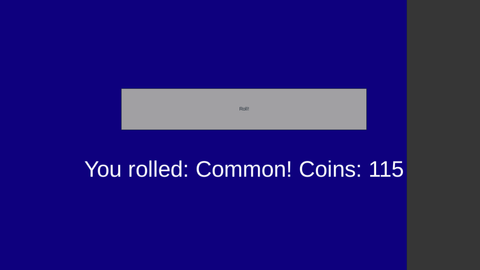
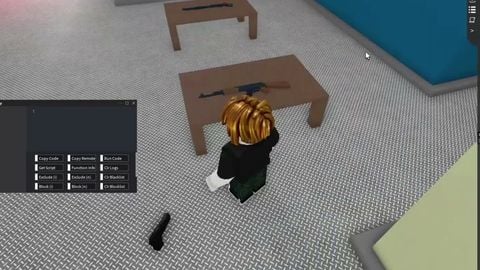
a game insidea game incase your bored autofarming in whatever game its like sols rng but with badges more stuff wil be added in the future!
--// Variables
local player = game.Players.LocalPlayer
local playerGui = player:FindFirstChild("PlayerGui") or Instance.new("PlayerGui", player)
local coins = Instance.new("IntValue", player)
coins.Name = "Coins"
coins.Value = 0

--// GUI Setup
local screenGui = Instance.new("ScreenGui", playerGui)
local frame = Instance.new("Frame", screenGui)
frame.Size = UDim2.new(1, 0, 1, 0)
frame.BackgroundColor3 = Color3.new(0, 0, 0.5)

local rollButton = Instance.new("TextButton", frame)
rollButton.Size = UDim2.new(0.3, 0, 0.1, 0)
rollButton.Position = UDim2.new(0.35, 0, 0.4, 0)
rollButton.Text = "Roll!"

local resultLabel = Instance.new("TextLabel", frame)
resultLabel.Size = UDim2.new(0.4, 0, 0.1, 0)
resultLabel.Position = UDim2.new(0.3, 0, 0.55, 0)
resultLabel.Text = ""
resultLabel.TextColor3 = Color3.new(1, 1, 1)
resultLabel.BackgroundTransparency = 1
resultLabel.TextScaled = true

local closeButton = Instance.new("TextButton", frame)
closeButton.Size = UDim2.new(0.1, 0, 0.05, 0)
closeButton.Position = UDim2.new(0.9, 0, 0, 0)
closeButton.Text = "Close"
closeButton.MouseButton1Click:Connect(function()
    screenGui:Destroy()
end)

--// Shop GUI
local shopFrame = Instance.new("Frame", screenGui)
shopFrame.Size = UDim2.new(0.3, 0, 1, 0)
shopFrame.Position = UDim2.new(0.7, 0, 0, 0)
shopFrame.BackgroundColor3 = Color3.new(0.2, 0.2, 0.2)

@scriptiux_inc i can do that indeed but not rn.
@shadowdevnothere yeah can you make it function better to? i used chatgpt for the buying system and coded the rolling only lol
i could make something like this and give it to u but better.