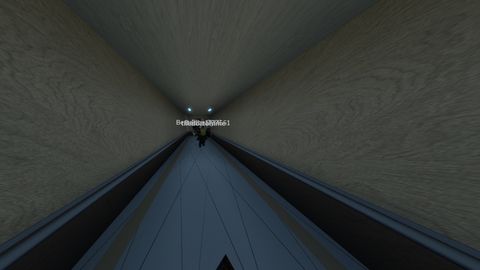
31.8k Views
15.4k Executions
fov changer OP
10K executions
Universal Script 📌
Script_legacy10K executions
2 years ago
Please login to perform these actions:Does it work?
No reports yetNo reports yet. Tried it? Be the first to say.
Also noticed:
Description
✅ Features: Draggable GUI Turn On/Off toggle Custom FOV slider (max 200) FOV persists after death Scoped weapon behavior is ignored
-- // Services
local Players = game:GetService("Players")
local UserInputService = game:GetService("UserInputService")
local RunService = game:GetService("RunService")

-- // Variables
local player = Players.LocalPlayer
local camera = workspace.CurrentCamera
local defaultFOV = camera.FieldOfView
local customFOV = defaultFOV
local isFOVEnabled = false

-- // GUI Creation
local ScreenGui = Instance.new("ScreenGui", game.CoreGui)
ScreenGui.Name = "FOVChangerGUI"

local MainFrame = Instance.new("Frame", ScreenGui)
MainFrame.Size = UDim2.new(0, 280, 0, 150)
MainFrame.Position = UDim2.new(0.5, -140, 0.5, -75)
MainFrame.BackgroundColor3 = Color3.fromRGB(30, 30, 30)
MainFrame.BorderSizePixel = 0
MainFrame.Active = true
MainFrame.Draggable = true

local Title = Instance.new("TextLabel", MainFrame)
Title.Size = UDim2.new(1, 0, 0, 30)
Title.BackgroundColor3 = Color3.fromRGB(20, 20, 20)
Title.Text = "FOV Changer"
Title.TextColor3 = Color3.fromRGB(255, 255, 255)
Title.Font = Enum.Font.SourceSansBold
Title.TextSize = 18

local ToggleButton = Instance.new("TextButton", MainFrame)
ToggleButton.Size = UDim2.new(0, 120, 0, 30)
ToggleButton.Position = UDim2.new(0, 10, 0, 45)
ToggleButton.Text = "FOV: OFF"
ToggleButton.BackgroundColor3 = Color3.fromRGB(50, 50, 50)
ToggleButton.TextColor3 = Color3.fromRGB(255, 255, 255)
ToggleButton.Font = Enum.Font.SourceSans
ToggleButton.TextSize = 16


Very gooood
W
а куда надо это ввести