
1.8k Views
3.8k Executions
f3x v00pgui new
Universal Script 📌
3 weeks ago
Reviewed by QueueSherlockPaid revieweron How review works
Does it work?
No reports yetNo reports yet. Tried it? Be the first to say.
Also noticed:
Description
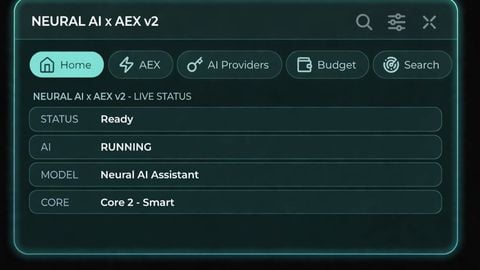
work only f3x game and hd admin
local G2L = {};

-- StarterGui.ScreenGui
G2L["1"] = Instance.new("ScreenGui", game:GetService("Players").LocalPlayer:WaitForChild("PlayerGui"));
G2L["1"]["ZIndexBehavior"] = Enum.ZIndexBehavior.Sibling;


-- StarterGui.ScreenGui.Frame
G2L["2"] = Instance.new("Frame", G2L["1"]);
G2L["2"]["BorderSizePixel"] = 3;
G2L["2"]["BackgroundColor3"] = Color3.fromRGB(16, 21, 49);
G2L["2"]["Size"] = UDim2.new(0, 905, 0, 652);
G2L["2"]["Position"] = UDim2.new(0.25218, 0, 0.05941, 0);
G2L["2"]["BorderColor3"] = Color3.fromRGB(0, 235, 255);


-- StarterGui.ScreenGui.Frame.LocalScript
G2L["3"] = Instance.new("LocalScript", G2L["2"]);


-- StarterGui.ScreenGui.Frame.ImageLabel
G2L["4"] = Instance.new("ImageLabel", G2L["2"]);
G2L["4"]["BorderSizePixel"] = 0;
G2L["4"]["BackgroundColor3"] = Color3.fromRGB(255, 255, 255);
G2L["4"]["Image"] = [[rbxassetid://100504395559748]];
G2L["4"]["Size"] = UDim2.new(0, 905, 0, 652);
G2L["4"]["BorderColor3"] = Color3.fromRGB(0, 0, 0);
G2L["4"]["BackgroundTransparency"] = 1;


-- StarterGui.ScreenGui.Frame.TextLabel
G2L["5"] = Instance.new("TextLabel", G2L["2"]);
G2L["5"]["BorderSizePixel"] = 0;
G2L["5"]["TextSize"] = 55;
G2L["5"]["BackgroundColor3"] = Color3.fromRGB(26, 26, 26);
G2L["5"]["FontFace"] = Font.new([[rbxasset://fonts/families/FredokaOne.json]], Enum.FontWeight.Bold, Enum.FontStyle.Normal);
G2L["5"]["TextColor3"] = Color3.fromRGB(0, 222, 255);
G2L["5"]["BackgroundTransparency"] = 0.25;
G2L["5"]["Size"] = UDim2.new(0, 904, 0, 78);

Is this still work?