66 Views
136 Executions
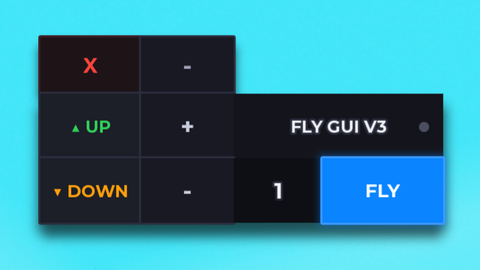
f3x gui ig also i will be back soon
Universal Script 📌
1 day ago
Please login to perform these actions:Does it work?
Early reports100% say it works · 1 report in the last 2 weeks
Also noticed:
Description
xtr00p back less go f01dss
-- Gui to Lua
-- Version: 3.2

-- Instances:

local ScreenGui = Instance.new("ScreenGui")
local Frame = Instance.new("Frame")
local textbutton1 = Instance.new("TextButton")
local TextButton = Instance.new("TextButton")
local TextButton_2 = Instance.new("TextButton")
local TextButton_3 = Instance.new("TextButton")
local TextButton_4 = Instance.new("TextButton")
local TextButton_5 = Instance.new("TextButton")
local TextButton_6 = Instance.new("TextButton")
local TextButton_7 = Instance.new("TextButton")
local TextLabel = Instance.new("TextLabel")
local TextButton_8 = Instance.new("TextButton")
local TextButton_9 = Instance.new("TextButton")

--Properties:

ScreenGui.Parent = game.Players.LocalPlayer:WaitForChild("PlayerGui")
ScreenGui.ZIndexBehavior = Enum.ZIndexBehavior.Sibling

Frame.Parent = ScreenGui
Frame.BackgroundColor3 = Color3.fromRGB(0, 0, 0)
Frame.BorderColor3 = Color3.fromRGB(255, 255, 255)
Frame.BorderSizePixel = 3
Frame.Position = UDim2.new(0.188883469, 0, 0.152179554, 0)
Frame.Size = UDim2.new(0, 593, 0, 373)

textbutton1.Name = "textbutton1"
textbutton1.Parent = Frame
textbutton1.BackgroundColor3 = Color3.fromRGB(0, 0, 0)
textbutton1.BorderColor3 = Color3.fromRGB(255, 255, 255)
textbutton1.BorderSizePixel = 3
textbutton1.Position = UDim2.new(0.0118043842, 0, 0.168900803, 0)
textbutton1.Size = UDim2.new(0, 149, 0, 52)
textbutton1.Font = Enum.Font.SourceSans
textbutton1.Text = "SKYBOX"
Comments
0Log in to join the conversation. Login
No comments yet. Be the first!