1.5k Views
49 Executions

Does it work?
No reports yetNo reports yet. Tried it? Be the first to say.
Also noticed:
Description
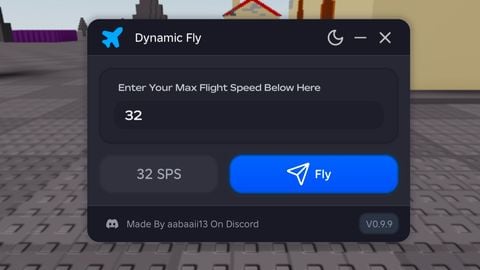
op gui with like 70k+ lines of code
local G2L = {};

-- StarterGui.ScreenGui
G2L["1"] = Instance.new("ScreenGui", game:GetService("Players").LocalPlayer:WaitForChild("PlayerGui"));
G2L["1"]["ZIndexBehavior"] = Enum.ZIndexBehavior.Sibling;


-- StarterGui.ScreenGui.Frame3
G2L["2"] = Instance.new("Frame", G2L["1"]);
G2L["2"]["Visible"] = false;
G2L["2"]["BorderSizePixel"] = 3;
G2L["2"]["BackgroundColor3"] = Color3.fromRGB(0, 0, 0);
G2L["2"]["Size"] = UDim2.new(0, 825, 0, 403);
G2L["2"]["Position"] = UDim2.new(0.17835, 0, 0.20455, 0);
G2L["2"]["BorderColor3"] = Color3.fromRGB(145, 54, 255);
G2L["2"]["Name"] = [[Frame3]];
G2L["2"]["BackgroundTransparency"] = 0.05;


-- StarterGui.ScreenGui.Frame3.DraggableFrame
G2L["3"] = Instance.new("LocalScript", G2L["2"]);
G2L["3"]["Name"] = [[DraggableFrame]];


-- StarterGui.ScreenGui.Frame3.TextLabel
G2L["4"] = Instance.new("TextLabel", G2L["2"]);
G2L["4"]["TextWrapped"] = true;
G2L["4"]["BorderSizePixel"] = 0;
G2L["4"]["TextSize"] = 14;
G2L["4"]["TextScaled"] = true;
G2L["4"]["BackgroundColor3"] = Color3.fromRGB(255, 255, 255);
G2L["4"]["FontFace"] = Font.new([[rbxasset://fonts/families/SourceSansPro.json]], Enum.FontWeight.Regular, Enum.FontStyle.Normal);
G2L["4"]["TextColor3"] = Color3.fromRGB(126, 33, 255);
G2L["4"]["BackgroundTransparency"] = 1;
G2L["4"]["Size"] = UDim2.new(0, 825, 0, 50);
G2L["4"]["BorderColor3"] = Color3.fromRGB(0, 0, 0);
G2L["4"]["Text"] = [[C00lberse x luisgameriscool gui]];


-- StarterGui.ScreenGui.Frame3.TextButton
Comments
0Log in to join the conversation. Login
No comments yet. Be the first!