
8.9k Views
220 Executions
abd0605 Executer
Universal Script 📌
Glitchplayer20Published 5
3 years ago
Please login to perform these actions:Does it work?
No reports yetNo reports yet. Tried it? Be the first to say.
Also noticed:
Description
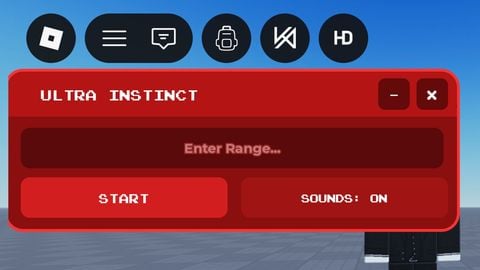
It's a executer
Updates
Script edited: Create script
-- Create a ScreenGui for the GUI
local ScreenGui = Instance.new("ScreenGui")
ScreenGui.Name = "abd0605Executer"
ScreenGui.Parent = game.Players.LocalPlayer:WaitForChild("PlayerGui")

-- Create the execute button
local executeButton = Instance.new("TextButton")
executeButton.Name = "ExecuteButton"
executeButton.Text = "Execute"
executeButton.Position = UDim2.new(0, 10, 1, -40)
executeButton.Size = UDim2.new(0, 100, 0, 30)
executeButton.Parent = ScreenGui

-- Create the clear button
local clearButton = Instance.new("TextButton")
clearButton.Name = "ClearButton"
clearButton.Text = "Clear"
clearButton.Position = UDim2.new(1, -110, 1, -40)
clearButton.Size = UDim2.new(0, 100, 0, 30)
clearButton.Parent = ScreenGui

-- Create the TextBox
local textBox = Instance.new("TextBox")
textBox.Name = "ScriptTextBox"
textBox.PlaceholderText = "Enter Lua script here"
textBox.Position = UDim2.new(0.5, -150, 0.5, -50)
textBox.Size = UDim2.new(0, 300, 0, 100)
textBox.TextWrapped = true
textBox.TextScaled = true
textBox.Parent = ScreenGui

-- Create the top label
local topLabel = Instance.new("TextLabel")
topLabel.Name = "TopLabel"
topLabel.Text = "abd0605 Executer"
topLabel.Position = UDim2.new(0.5, -150, 0, 10)
topLabel.Size = UDim2.new(0, 300, 0, 30)
topLabel.Parent = ScreenGui

-- Create the screen cover




this is fire
stop!!!!