120 Views
324 Executions
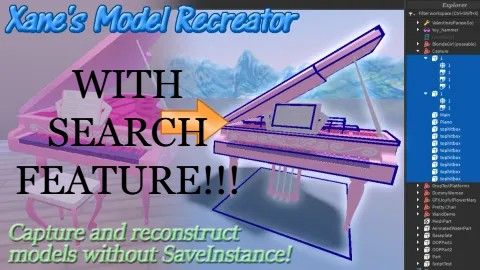
Xanes Model Recreator WITH SEARCH FEATURE
Universal Script 📌
1ce1ceyPublished 5
3 months ago
Please login to perform these actions:Does it work?
No reports yetNo reports yet. Tried it? Be the first to say.
Also noticed:
Description
FULL CREDIT TO xanem1!! - Except the search feature. This script converts most instance classes relevant to model/asset rips into a series of JSON files, which can be used to recreate the original instances when their contents are pasted into the companion Roblox Studio plugin! I added the search function myself considering they didn't. Please dont remove this scriptblox!!
--[[
	XANE'S MODEL RECREATOR (SCRIPT/DECONSTRUCTOR PHASE) V3, WRITTEN IN 2024
	LAST UPDATED ON APRIL 1ST, 2025

	A personal script of mine, released to the public to enable anyone to save models (and other supported instances)
	from any Roblox experience (as long as your Roblox app doesn't crash in the process of loading it)! Execute this
	script and a small button will appear at the top of your screen. Click/tap on it to open the GUI, then click on
	one of the four buttons at the top of the window to scan through that container, making a list of all of the
	supported Instances!

	Click on an instance's icon to include it in this save (and do that again to deselect it), and use the page
	buttons at the bottom of the window to switch between pages of 100 Instances. If you're unsure of which
	Instance you're selecting, a box will be drawn around them, and you can use the camera button to focus on that
	object, if it supports changing the camera's subject to it. To return to your character, right-click or long
	tap that button.

	Instances can be selected from one or all of the containers. Switch between them using the top row of buttons,
	select anything that you want, give a name to this export using the text box at the bottom-right corner, then
	with one click/tap of the save button, your selection will be transformed into JSON files in your executor's
	"workspace" folder.

	GLOBAL ARRAY (_G) SETTINGS
	For those in the know, you can change a couple settings that aren't accessible from the GUI by setting certain
	values in the _G dictionary! Here's the complete list of changes you can make:

	_G.PageLength (number) - Adjusts the length of each set of Instances which are shown in the GUI. By default,
	this is 24, but changing this will make each page longer or shorter. If it's small enough, the whole page fits!

	_G.AntiLagInterval (number) - To ensure the progress UI updates instead of the script freezing the client while
	it's indexing or saving instances, the recursive iteration function intentionally waits a frame after it checks
	every 25th Instance. If you have a weaker device, increase this to improve performance, though it'll come at
	the cost of longer indexing/saving times. If on a stronger device, I recommend decreasing this or using 0.
]]--

-- USER CONFIGS
_G.PageLength = 32
_G.AntiLagInterval = 30
_G.SkipPreSaveVerify = false

if not game:IsLoaded() then game.Loaded:Wait() end
Comments
0Log in to join the conversation. Login
No comments yet. Be the first!