17 Views
1 Executions
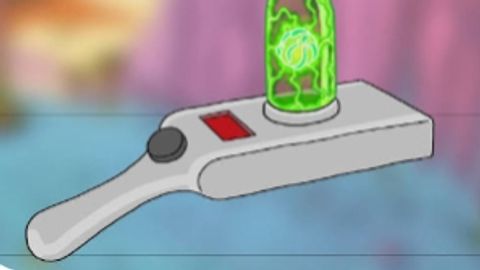
Workbench crafting (portal gun/more)
Universal Script 📌
2 days ago · Updated
Reviewed by QueueSpeedDemonPaid revieweron How review works
Does it work?
No reports yetNo reports yet. Tried it? Be the first to say.
Also noticed:
Description
Get materials from dimensions Craft stuff with workbench like a portal gun or lantern
Updates
Script edited: Edited during review before approval
--[[
	Dimension Workbench (Rick & Morty style) - client-side, made for Delta  (v3)

	- Side panel (right edge): pick a dimension. Each one has its own look and
	  floating materials. Walk into a material to collect it. They respawn.
	- "Bag" button shows what you have collected.
	- Equip the "Workbench" tool: a bench appears in front of you. Pick an item
	  from the menu (it costs materials), then drag the glowing parts onto the blue outlines.
	- Finished items are added to your backpack.
	- Portal Gun: tap/click to shoot portal 1, then portal 2. Portals can even link
	  two different dimensions together.

	Re-executing the script cleans up the old run first.

	HOW TO ADD MORE
	  * New item:      add a parts list (like GUN / LANTERN), then add an entry to RECIPES.
	  * New material:  add to MATERIALS + MAT_ORDER + NODE_SHAPES, then use it in a dimension's nodes list.
	  * New dimension: copy one entry in DIMENSIONS (give it a new id, seed and look).
]]

local Players = game:GetService("Players")
local RunService = game:GetService("RunService")
local UIS = game:GetService("UserInputService")
local TweenService = game:GetService("TweenService")
local Debris = game:GetService("Debris")
local Lighting = game:GetService("Lighting")
local Workspace = game:GetService("Workspace")

local player = Players.LocalPlayer
local mouse = player:GetMouse()
local env = (getgenv and getgenv()) or _G

if env.__PortalGunCleanup then
	pcall(env.__PortalGunCleanup)
end

------------------------------------------------------------------
-- SETTINGS
------------------------------------------------------------------
local SNAP_DIST = 1.5        -- how close a part must be to snap (studs)
Comments
0Log in to join the conversation. Login
No comments yet. Be the first!