
5.8k Views
107.8k Executions
Wall Hop V5
100K executions
Universal Script 📌
Luckyday999100K executions
4 months ago
Please login to perform these actions:Does it work?
No reports yetNo reports yet. Tried it? Be the first to say.
Also noticed:
Description
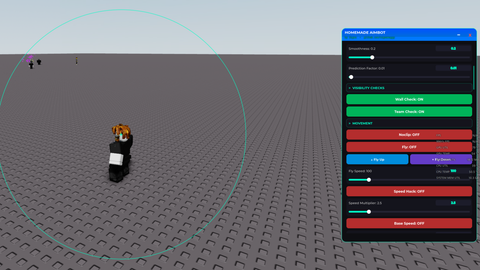
Wall Hop Auto Auto Jump Downforce Flick Speed Slider Downforce Slider Flick Angle Slider
-- Create ScreenGui
local screenGui = Instance.new("ScreenGui")
screenGui.Parent = game.Players.LocalPlayer:WaitForChild("PlayerGui")
screenGui.ResetOnSpawn = false

-- Services
local UserInputService = game:GetService("UserInputService")
local Players = game:GetService("Players")
local Workspace = game:GetService("Workspace")
local RunService = game:GetService("RunService")

-- Player specific
local player = Players.LocalPlayer
local mouse = player:GetMouse()

-- Create Frame (GUI 1) - Height expanded to 415 to comfortably fit all three sliders
local frame = Instance.new("Frame")
frame.Parent = screenGui
frame.BackgroundColor3 = Color3.fromRGB(255, 255, 255)
frame.Size = UDim2.new(0, 200, 0, 415)
frame.Position = UDim2.new(0.5, -100, 0.5, -207)
frame.Active = true
frame.ClipsDescendants = false

-- ============================================================== --
-- Smooth Dragging Implementation
-- ============================================================== --
local dragging
local dragInput
local dragStart
local startPosition

local function update(input)
    local delta = input.Position - dragStart
    frame.Position = UDim2.new(startPosition.X.Scale, startPosition.X.Offset + delta.X, startPosition.Y.Scale, startPosition.Y.Offset + delta.Y)
end

frame.InputBegan:Connect(function(input)
    if input.UserInputType == Enum.UserInputType.MouseButton1 or input.UserInputType == Enum.UserInputType.Touch then
        dragging = true





how?
ok
holy ai