1.8k Views
77 Executions
Vortext X 01 Version by terminatedfear
Universal Script 📌
Gaming_Focused_HubPublished 10
1 year ago
Please login to perform these actions:Does it work?
No reports yetNo reports yet. Tried it? Be the first to say.
Also noticed:
Description
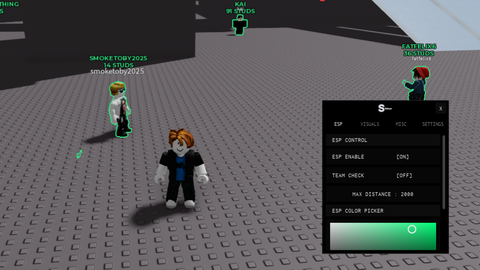
It has a boost mode Describe it by your own thoughts
if game.CoreGui:FindFirstChild("VortexX_AI") then game.CoreGui.VortexX_AI:Destroy() end

local Players = game:GetService("Players")
local player = Players.LocalPlayer
local StarterGui = game:GetService("StarterGui")

local ScreenGui = Instance.new("ScreenGui")
ScreenGui.Name = "VortexX_AI"
ScreenGui.Parent = game.CoreGui
ScreenGui.ZIndexBehavior = Enum.ZIndexBehavior.Sibling

local Frame = Instance.new("Frame")
Frame.Size = UDim2.new(0, 520, 0, 370)
Frame.Position = UDim2.new(0.5, -260, 0.5, -185)
Frame.BackgroundColor3 = Color3.fromRGB(15, 15, 25)
Frame.BorderSizePixel = 0
Frame.Parent = ScreenGui
Frame.Active = true
Frame.Draggable = true
Frame.ClipsDescendants = true
Instance.new("UICorner", Frame).CornerRadius = UDim.new(0, 12)

local TopBar = Instance.new("Frame", Frame)
TopBar.Size = UDim2.new(1, 0, 0, 40)
TopBar.BackgroundColor3 = Color3.fromRGB(25, 25, 40)

local Title = Instance.new("TextLabel", TopBar)
Title.Text = "Vortex X v4 (v0.1) - By terminated_fear2"
Title.Size = UDim2.new(1, -140, 1, 0)
Title.Position = UDim2.new(0, 10, 0, 0)
Title.TextColor3 = Color3.fromRGB(0, 255, 200)
Title.Font = Enum.Font.GothamBold
Title.TextSize = 18
Title.BackgroundTransparency = 1
Title.TextXAlignment = Enum.TextXAlignment.Left

local ExitBtn = Instance.new("TextButton", TopBar)
ExitBtn.Size = UDim2.new(0, 40, 1, 0)
ExitBtn.Position = UDim2.new(1, -45, 0, 0)
ExitBtn.Text = "X"
Comments
0Log in to join the conversation. Login
No comments yet. Be the first!