36.6k Views
134 Executions

Does it work?
No reports yetNo reports yet. Tried it? Be the first to say.
Also noticed:
Description
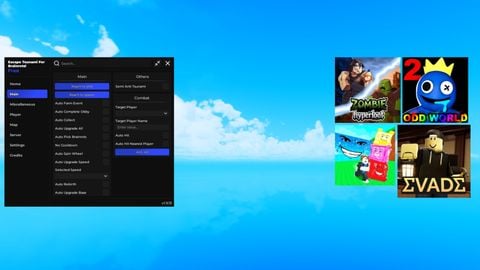
My brother made this gui and looks bad you can see mines but reborned
Updates
Script edited: Create script
local Players = game:GetService("Players")
local UserInputService = game:GetService("UserInputService")

local player = Players.LocalPlayer
local playerGui = player:WaitForChild("PlayerGui")

local screenGui = Instance.new("ScreenGui")
screenGui.Name = "ExecutorGui"
screenGui.Parent = playerGui

local frame = Instance.new("Frame")
frame.Size = UDim2.new(0, 400, 0, 300)
frame.Position = UDim2.new(0, 0, 0, 0)
frame.BackgroundColor3 = Color3.new(1, 0, 0) -- Bright red
frame.BorderSizePixel = 10 -- Thick border
frame.BorderColor3 = Color3.new(0, 1, 0) -- Bright green
frame.Parent = screenGui

local titleLabel = Instance.new("TextLabel")
titleLabel.Size = UDim2.new(1, 0, 0, 50)
titleLabel.BackgroundTransparency = 0
titleLabel.BackgroundColor3 = Color3.new(0, 0, 1)
titleLabel.Text = "Vermus X"
titleLabel.TextColor3 = Color3.new(1, 1, 0)
titleLabel.Font = Enum.Font.Legacy
titleLabel.TextSize = 10
titleLabel.Parent = frame

local inputBox = Instance.new("TextBox")
inputBox.Size = UDim2.new(1, 0, 0.6, -50)
inputBox.Position = UDim2.new(0, 0, 0, 50)
inputBox.BackgroundColor3 = Color3.new(0.5, 0.5, 0.5)
inputBox.TextColor3 = Color3.new(0, 0, 0)
inputBox.Font = Enum.Font.Code
inputBox.TextSize = 14
inputBox.TextXAlignment = Enum.TextXAlignment.Right
inputBox.TextYAlignment = Enum.TextYAlignment.Bottom
inputBox.ClearTextOnFocus = false
inputBox.MultiLine = true
inputBox.Parent = frame
Comments
0Log in to join the conversation. Login
No comments yet. Be the first!