Vector server side
Universal Script 📌
Does it work?
No reports yetNo reports yet. Tried it? Be the first to say.
Description
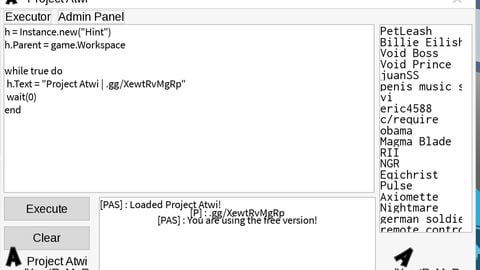
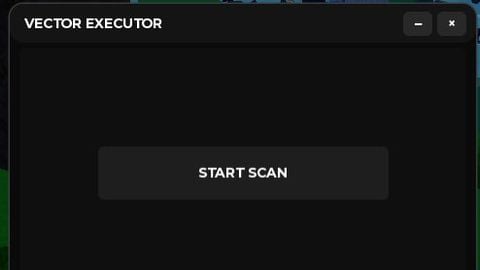
🎯 Core Functionality & Purpose The script's main goal is to build a bridge between the player and the game server. It works by scanning the game's environment for specific vulnerable objects (RemoteEvent and RemoteFunction), which are normally used for legitimate communication between the client and server. The script then allows the user to execute custom Lua code through these "backdoors" to manipulate the game. 🎨 User Interface (GUI) The script generates a modern, dark-themed GUI with the following features: Draggable & Minimizable Window: A main frame with a top bar that can be moved around the screen. Scanner Mode: The initial view with a prominent "START SCAN" button and a status text field. Executor Mode: This view replaces the scanner after a backdoor is found. It provides a multi-line text box for entering custom scripts, an "EXECUTE" button, and a "CLEAR" button to clear the text field. Control Buttons: Minimize (-) and close (×) buttons for the entire GUI. 🔍 Backdoor Scanning Process This is the core functionality. The scanner is designed to find vulnerable RemoteEvent or RemoteFunction objects. Targeting a Specific Backdoor: It first checks for a specific remote function in ReplicatedStorage that has a mathematically generated name (e.g., lh + game.PlaceId). This suggests a well-known, pre-identified backdoor. Scanning All Remotes: The script then iterates through every object in the game using game:GetDescendants(). It collects all RemoteEvent and RemoteFunction objects. Testing for Vulnerability: For each remote found, it attempts to execute a harmless test command, such as spawning a part in the game's workspace. The command includes a unique, randomly generated code. Verification: The script then waits and checks if a part with that unique name has appeared in the workspace. If it finds one, it confirms that the remote is a vulnerable backdoor. Success & Switch: Once a backdoor is confirmed, the GUI seamlessly switches from the "Scanner" view to the "Executor" view, ready for custom script execution. ⚙️ Execution Flow The script's logic is driven by user interaction with the GUI: User Clicks "START SCAN": Triggers the FindBackdoor function, which runs the scanning process described above. Backdoor Found: The GUI switches to the executor interface. The script also attempts to create a simple in-game hint, signaling a successful connection. User Enters Script: A player pastes or types a script into the multi-line text box. User Clicks "EXECUTE": Calls the ExecScript function, which takes the text from the box and sends it to the server using the found backdoor. The remote is fired using FireServer or InvokeServer. Clear Button: Simply empties the text box. 💎 Summary of Key Functions & Variables Function / Variable Description notif(text) Displays a system notification to the player. runRemote(remote, data) Safely sends data to a remote (either as a RemoteEvent or a RemoteFunction). generateName(length) Creates a random string of letters to test for backdoors. FindBackdoor() The primary function that orchestrates the entire scanning process. ExecScript() Sends the user's script from the GUI to the server via the found backdoor. backdoor A global variable that stores the successful vulnerable remote object. scanning A lock variable to prevent multiple scans from running simultaneously. In short, this script turns a simple Roblox executor into a