
8.2k Views
86 Executions
Universal FE Animation Logger
Universal Script 📌
floppa_scripterPublished 10
1 year ago
Please login to perform these actions:Does it work?
No reports yetNo reports yet. Tried it? Be the first to say.
Also noticed:
Description
This Script Checks for every animation in game and you can play it. may be useless but its cool
local Players = game:GetService("Players")
local Player = Players.LocalPlayer
local PlayerGui = Player:WaitForChild("PlayerGui")

local ScreenGui = Instance.new("ScreenGui")
ScreenGui.Name = "AnimationLogger"
ScreenGui.Parent = PlayerGui

local MainFrame = Instance.new("Frame")
MainFrame.Size = UDim2.new(0.3, 0, 0.6, 0)
MainFrame.Position = UDim2.new(0.05, 0, 0.2, 0)
MainFrame.BackgroundColor3 = Color3.fromRGB(30, 30, 30)
MainFrame.BorderSizePixel = 0
MainFrame.Parent = ScreenGui

local Title = Instance.new("TextLabel")
Title.Size = UDim2.new(1, 0, 0.08, 0)
Title.Text = "ANIMATION LOGGER"
Title.TextColor3 = Color3.fromRGB(255, 255, 255)
Title.BackgroundColor3 = Color3.fromRGB(50, 50, 50)
Title.Font = Enum.Font.GothamBold
Title.TextSize = 16
Title.Parent = MainFrame

local RefreshButton = Instance.new("TextButton")
RefreshButton.Size = UDim2.new(0.15, 0, 0.08, 0)
RefreshButton.Position = UDim2.new(0.85, 0, 0, 0)
RefreshButton.Text = "🔃"
RefreshButton.TextSize = 18
RefreshButton.BackgroundColor3 = Color3.fromRGB(60, 60, 60)
RefreshButton.Parent = MainFrame

local ScrollFrame = Instance.new("ScrollingFrame")
ScrollFrame.Size = UDim2.new(1, 0, 0.92, 0)
ScrollFrame.Position = UDim2.new(0, 0, 0.08, 0)
ScrollFrame.BackgroundTransparency = 1
ScrollFrame.ScrollBarThickness = 6
ScrollFrame.AutomaticCanvasSize = Enum.AutomaticSize.Y
ScrollFrame.Parent = MainFrame






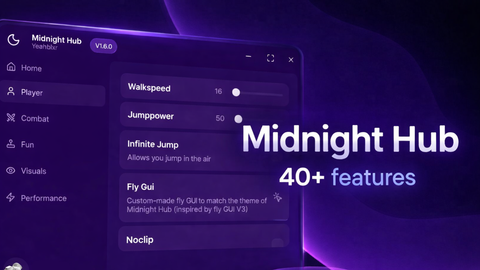


ai generated
dude its cool-
the developer who didnt publish it: