30 Views
1 Executions
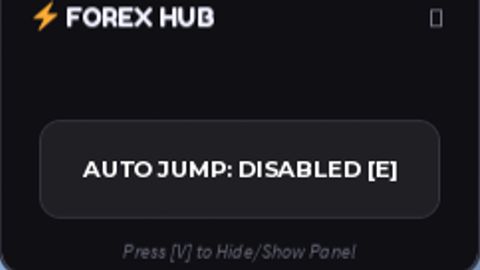
Universal Auto Jump Gui v1 | Universal Roblox Script
Universal Script 📌
4 days ago · Updated
Reviewed by MatttsPaid revieweron How review works
Does it work?
No reports yetNo reports yet. Tried it? Be the first to say.
Also noticed:
Description
- Auto Jumo
local Players = game:GetService("Players")
local RunService = game:GetService("RunService")
local TweenService = game:GetService("TweenService")
local UserInputService = game:GetService("UserInputService")

local player = Players.LocalPlayer
local playerGui = player:WaitForChild("PlayerGui")

-- 1. SCREEN GUI SETUP
local screenGui = Instance.new("ScreenGui")
screenGui.Name = "RemasteredAdminGui"
screenGui.ResetOnSpawn = false
screenGui.ZIndexBehavior = Enum.ZIndexBehavior.Sibling
screenGui.Parent = playerGui

-- 2. MAIN PANEL WINDOW
local mainPanel = Instance.new("Frame")
mainPanel.Name = "MainPanel"
mainPanel.Size = UDim2.new(0, 240, 0, 150)
mainPanel.Position = UDim2.new(0.5, -120, 0.5, -75)
mainPanel.BackgroundColor3 = Color3.fromRGB(15, 15, 20) -- Ultra Dark Indigo
mainPanel.BorderSizePixel = 0
mainPanel.Active = true
mainPanel.Draggable = true
mainPanel.ClipsDescendants = true
mainPanel.Parent = screenGui

local panelCorner = Instance.new("UICorner")
panelCorner.CornerRadius = UDim.new(0, 12)
panelCorner.Parent = mainPanel

local panelStroke = Instance.new("UIStroke")
panelStroke.Color = Color3.fromRGB(45, 45, 55)
panelStroke.Thickness = 1.5
panelStroke.ApplyStrokeMode = Enum.ApplyStrokeMode.Border
panelStroke.Parent = mainPanel

-- 3. TITLE BAR NG PANEL
local titleLabel = Instance.new("TextLabel")
titleLabel.Name = "Title"
Comments
0Log in to join the conversation. Login
No comments yet. Be the first!