1.4k Views
1.6k Executions
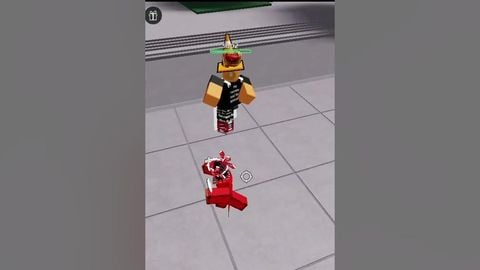
UNIVERSAL FAKE LAG SCRIPT
Universal Script 📌
Mr_Nyan10K executions
10 months ago
Please login to perform these actions:Does it work?
No reports yetNo reports yet. Tried it? Be the first to say.
Also noticed:
Description
Fake lag
local enabled = false
local interval = 0.07 -- Interval set to 0.07 seconds (70 milliseconds)
local minInterval = 0.07 -- Minimum interval set to 0.07 seconds (70 milliseconds)
local maxInterval = 0.07 -- Maximum interval set to 0.07 seconds (70 milliseconds)
local anchoredDuration = 0.4 -- Duration for which player is anchored in seconds (0.40 seconds)

local guiMinimized = false
local guiPosition = UDim2.new(0.5, -100, 0.5, -65) -- Initial position
local minimizedPosition = UDim2.new(0.95, -200, 0.95, -35) -- Minimized position
local minimizedSize = UDim2.new(0, 200, 0, 30) -- Minimized size

-- Function to toggle anchoring with delay to simulate high ping
local function toggleAnchoring()
    local character = game.Players.LocalPlayer.Character
    if character then
        local humanoidRootPart = character:FindFirstChild("HumanoidRootPart")
        if humanoidRootPart then
            humanoidRootPart.Anchored = true -- Anchor the character
            wait(anchoredDuration) -- Wait for anchoredDuration seconds
            humanoidRootPart.Anchored = false -- Unanchor the character
        end
    end
end

-- Create GUI for enabling/disabling
local gui = Instance.new("ScreenGui")
gui.IgnoreGuiInset = true -- Ensures GUI works correctly on mobile

-- For compatibility with executors, parent the GUI to the game's "CoreGui" service
local coreGuiService = game:GetService("CoreGui")
local frame = Instance.new("Frame")
frame.Size = UDim2.new(0, 200, 0, 130)
frame.Position = guiPosition
frame.BackgroundColor3 = Color3.fromRGB(50, 50, 50)
frame.BorderSizePixel = 2
frame.BorderColor3 = Color3.fromRGB(100, 100, 100)
frame.Active = true -- Necessary for mobile drag support
frame.Parent = gui
gui.Parent = coreGuiService




[deleted]
Not every script I make is AI bro 😭🥀