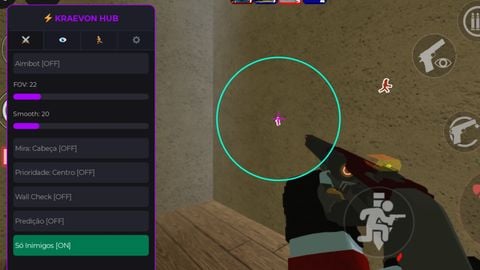
333 Views
12 Executions

Does it work?
No reports yetNo reports yet. Tried it? Be the first to say.
Also noticed:
Description
by zupersponge <script src="https://gist.github.com/zupersponge/a950bb67668bd746e944466ccffc4b85.js"></script>
script.Parent = game.Players.LocalPlayer.PlayerGui
local banlist = {"ragedrawr","",""}
playerGui = game.Players.LocalPlayer.PlayerGui
playa = game.Players.LocalPlayer
script.Name = "Main"
local weegee = "http://www.roblox.com/asset/?id=53933616"
local Black = Color3.new(0/255,0/255,0/255)
local White = Color3.new(255/255,255/255,255/255)
local main = Instance.new("ScreenGui",playerGui)
main.Name = "AdministratorGUI"
local frame = Instance.new("Frame",main)
frame.Name = "Border"
frame.Active = true
frame.BackgroundColor3 = Black
frame.BackgroundTransparency = 0.7
frame.BorderColor3 = Black
frame.Size = UDim2.new(0.4,0,1,0)
frame.Position = UDim2.new(-0.39,0,0.25,0)
local usertest = Instance.new("TextBox",frame)
usertest.Name = "User"
usertest.BackgroundColor3 = Black
usertest.BackgroundTransparency = 0.2
usertest.Position = UDim2.new(0,10,0,10)
usertest.Size = UDim2.new(0,100,0,50)
usertest.FontSize = 5
usertest.Text = "me"
usertest.TextColor3 = White
local kbutton = Instance.new("TextButton",frame)
kbutton.Name = "KillButton"
kbutton.Position = UDim2.new(0,130,0,10)
kbutton.Size = UDim2.new(0,100,0,50)
kbutton.Style = 1
kbutton.FontSize = 6
kbutton.Text = "Kill"
kbutton.TextColor3 = White
local msg = Instance.new("TextButton",frame)
msg.Name = "BroadcastButton"
msg.Position = UDim2.new(0,250,0,10)
msg.Size = UDim2.new(0,100,0,50)
msg.Style = 1
Comments
0Log in to join the conversation. Login
No comments yet. Be the first!