866 Views
220 Executions
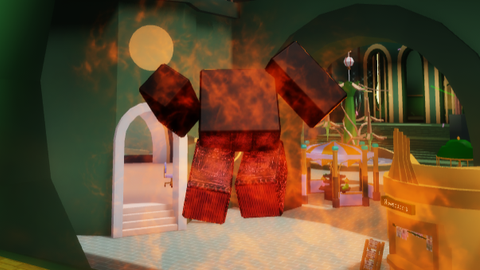
Tossing Script v1
Universal Script 📌
SZluaFirst script
11 months ago
Please login to perform these actions:Does it work?
No reports yetNo reports yet. Tried it? Be the first to say.
Also noticed:
Description
Русский: Скрипт для рывка! Пользуйтесь, он универсальный. Создан для чита Allusive Premium. Но работает почти на всех инжекторах. English: Script for a breakthrough! Use it, it's universal. Created for the Allusive Premium cheat. But it works on almost all injectors.
-- Allusive Premium PC Dash
local Players = game:GetService("Players")
local UserInputService = game:GetService("UserInputService")
local RunService = game:GetService("RunService")

local player = Players.LocalPlayer
local character = player.Character or player.CharacterAdded:Wait()
local humanoid = character:WaitForChild("Humanoid")
local rootPart = character:WaitForChild("HumanoidRootPart")

local DASH_FORCE = 200
local DASH_COOLDOWN = 1
local JUMP_BOOST = 50

local canDash = true
local dashGui = nil

local function createPCControls()
    local screenGui = Instance.new("ScreenGui")
    screenGui.Name = "AllusiveDashPC"
    screenGui.ResetOnSpawn = false
    screenGui.Parent = player.PlayerGui

    local infoFrame = Instance.new("Frame")
    infoFrame.Size = UDim2.new(0, 200, 0, 60)
    infoFrame.Position = UDim2.new(0, 10, 0, 10)
    infoFrame.BackgroundColor3 = Color3.new(0, 0, 0)
    infoFrame.BackgroundTransparency = 0.7
    infoFrame.BorderSizePixel = 0
    infoFrame.Parent = screenGui

    local corner = Instance.new("UICorner")
    corner.CornerRadius = UDim.new(0, 8)
    corner.Parent = infoFrame

    local cooldownIndicator = Instance.new("TextLabel")
    cooldownIndicator.Size = UDim2.new(1, 0, 1, 0)
    cooldownIndicator.BackgroundTransparency = 1
    cooldownIndicator.Text = "DASH: READY [Q]"
    cooldownIndicator.TextColor3 = Color3.new(0, 1, 0)
Comments
0Log in to join the conversation. Login
No comments yet. Be the first!