
5.1k Views
1.2k Executions
Teleport script
Universal Script 📌
HUKAFirst script
8 months ago
Please login to perform these actions:Does it work?
No reports yetNo reports yet. Tried it? Be the first to say.
Also noticed:
Description
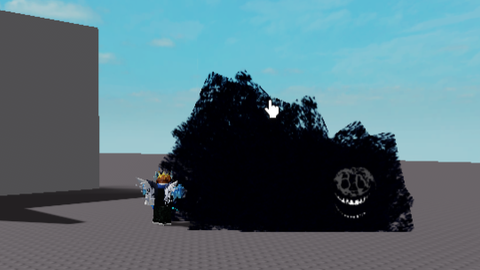
Teleports your character to your mouse cursor location ✔ Tested on: Xeno, Solara, JJS ❌ Not working on mobile (Delta) EN Important: Does not work properly in games with hitboxes or strong anti-cheat (like in JJS). May only work at short distances (~10–20 meters) | Only PC RU Важно: Может не работать в играх с хитбоксами или античитом (например в JJS). Иногда работает только на небольшом расстоянии (~10–20 метров) | Только ПК If you have any issues, write in the comments Если есть проблемы — напишите в комментарии
-- EN: Teleport activates on Z
-- RU: Телепортация на кнопку Z
local Players = game:GetService("Players")
local UserInputService = game:GetService("UserInputService")
local workspace = game:GetService("Workspace")
local ReplicatedStorage = game:GetService("ReplicatedStorage")
local player = Players.LocalPlayer
local mouse = player:GetMouse()

-- Teleport key (default Z)
local teleportKey = Enum.KeyCode.Z  -- Change the key for teleport here

-- Function to show text (script activation message)
local function showTextMessage(message)
    -- Create ScreenGui if it doesn't exist
    local screenGui = player:FindFirstChildOfClass("PlayerGui"):FindFirstChild("TeleportMessageGui")
    if not screenGui then
        screenGui = Instance.new("ScreenGui")
        screenGui.Name = "TeleportMessageGui"
        screenGui.Parent = player:FindFirstChildOfClass("PlayerGui")
    end

    -- Create TextLabel
    local textLabel = Instance.new("TextLabel")
    textLabel.Parent = screenGui
    textLabel.Size = UDim2.new(0, 300, 0, 50)
    textLabel.Position = UDim2.new(1, -310, 1, -60)  -- Bottom-right corner
    textLabel.Text = message
    textLabel.TextColor3 = Color3.fromRGB(255, 255, 255)  -- White text
    textLabel.BackgroundTransparency = 1  -- No background
    textLabel.TextSize = 20  -- Text size
    textLabel.TextStrokeTransparency = 0.8  -- Text outline effect

    -- Fade out text after 2 seconds
    game:GetService("TweenService"):Create(textLabel, TweenInfo.new(2), {TextTransparency = 1}):Play()
    wait(7)
    textLabel:Destroy()  -- Remove text after delay
end

UserInputService.InputBegan:Connect(function(input, gameProcessed)



Its AI dont lie
@AjnurHub You don't have to believe me, I don't give a *.
AI
@AjnurHub Idk, I wrote it myself