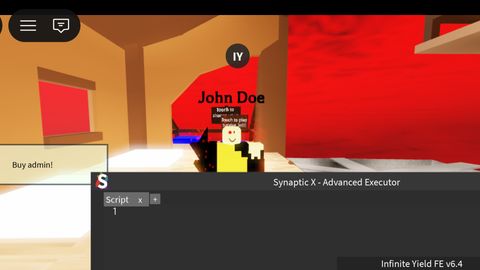
Synaptic X Advanced Roblox Executor
Universal Script 📌
Does it work?
No reports yetNo reports yet. Tried it? Be the first to say.
Description
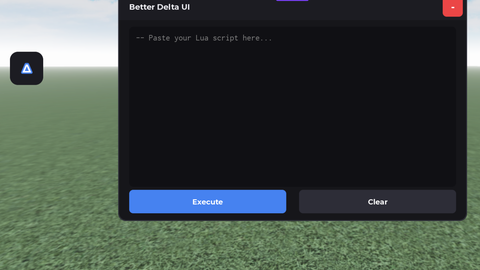
Synaptic X is a powerful, feature-rich Roblox executor designed for both beginners and advanced users. It combines multiple tools into one seamless interface with server-side execution capabilities. 🔥 FEATURES: • Full Lua executor with syntax highlighting • Multi-tab script editor • Built-in script hub: - Dark Dex (object explorer) - Unnamed ESP - Remote Spy - SaveInstance (dumper) - Backdoor manager • Server-side code execution (works in ANY game with backdoor) • Auto backdoor scanner (RemoteEvent / RemoteFunction detection) • Actor-based backdoor creation (bypasses many protections) • require() support with Module IDs • Beautiful, draggable GUI with minimize option • F6 to show/hide interface 🚀 HOW TO USE: 1. Inject the script using any executor (Xeno, Solara, Krnl, etc.) 2. Press F6 to open the GUI 3. Click "ATTACH" to find/create a backdoor 4. Write your Lua code in the editor 5. Click "EXECUTE" to run it server-side ⚠️ REQUIREMENTS: - A working Roblox executor (Xeno, Solara, Krnl, Delta, etc.) - Roblox Player (must be in a game) 📁 INCLUDED SCRIPTS: - Dark Dex Explorer - Unnamed ESP - Remote Spy - SaveInstance (place dumper) - Backdoor.exe scanner 🔧 TIPS: - If "Attach" fails, try pressing it again (sometimes takes 2-3 attempts) - The script automatically searches for backdoors via: • Standard RemoteEvent scanning • Actor-based backdoor creation • Direct execution fallback ⚡ SYNTAX HIGHLIGHTING: - Keywords (green) - Globals (blue) - Strings (light green) - Numbers (orange) - Remote calls (cyan) 🖥️ INTERFACE: - Drag the window anywhere - Minimize to tray (M button) - Close (X button) - Hide with F6
pcall(function() game.CoreGui["Synaptic X"]:Destroy() end)

local SynapseXreal = Instance.new("ScreenGui")
local MainFrame = Instance.new("Frame")
local bar = Instance.new("Frame")
local Close = Instance.new("TextButton")
local Mini = Instance.new("TextButton")
local Min = Instance.new("TextButton")
local ImageLabel = Instance.new("ImageLabel")
local EditorFrame = Instance.new("ScrollingFrame")
local Source = Instance.new("TextBox")
local Comments_ = Instance.new("TextLabel")
local Globals_ = Instance.new("TextLabel")
local Keywords_ = Instance.new("TextLabel")
local RemoteHighlight_ = Instance.new("TextLabel")
local Strings_ = Instance.new("TextLabel")
local Tokens_ = Instance.new("TextLabel")
local Numbers_ = Instance.new("TextLabel")
local Lines = Instance.new("TextLabel")
local title = Instance.new("TextLabel")
local list = Instance.new("Frame")
local execute = Instance.new("TextButton")
local clear = Instance.new("TextButton")
local options = Instance.new("TextButton")
local scripthub = Instance.new("TextButton")
local Attach = Instance.new("TextButton")
local title_2 = Instance.new("ImageLabel")
local scripthub_2 = Instance.new("Frame")
local optionspage = Instance.new("Frame")
local bar_2 = Instance.new("Frame")
local select = Instance.new("Frame")
local dex = Instance.new("TextButton")
local esp = Instance.new("TextButton")
local spy = Instance.new("TextButton")
local dumper = Instance.new("TextButton")
local backdoor = Instance.new("TextButton")
local desc = Instance.new("Frame")
local descri = Instance.new("TextLabel")
local title_3 = Instance.new("TextLabel")






And if it finds a backdoor but it doesn't do anything, I insert it and nothing happens.
Can you not run require scripts on it?
backdoor.exe scanners don't work bro and it's discontinued
yo it doesnt work
@*s*9 where don't work
@Zcel35 It dosen't pop up
@gamecezar2000 what executor your using