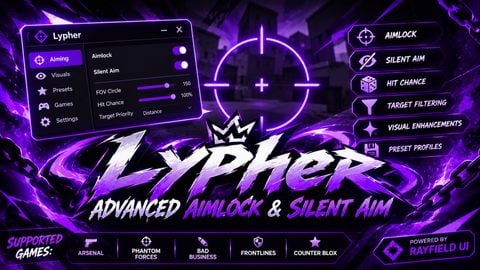
420 Views
6 Executions
SpidiCommands
Universal Script 📌
Reta28366Published 10
7 months ago
Please login to perform these actions:Does it work?
No reports yetNo reports yet. Tried it? Be the first to say.
Also noticed:
Description
SpidiCommands
local gui = Instance.new("ScreenGui")
gui.Name = "patrickGui"
gui.Parent = game.CoreGui

local lock = Instance.new("Frame")
lock.Size = UDim2.new(0.4, 19, 0.9, 19)
lock.Position = UDim2.new(0.0, 0, 0.0, 0)
lock.BackgroundColor3 = Color3.new(1, 1, 1)
lock.BorderColor3 = Color3.new(0, 0, 0)
lock.BorderSizePixel = 0
lock.Active = true
lock.BackgroundTransparency = 1
lock.Draggable = true
lock.Parent = gui

local rc7 = Instance.new("Frame")
rc7.Size = UDim2.new(0.9, 33, 0.9, 30)
rc7.Position = UDim2.new(0.0, 0, 0.0, 0)
rc7.BackgroundColor3 = Color3.new(1, 1, 1)
rc7.BorderColor3 = Color3.new(0, 0, 0)
rc7.BorderSizePixel = 0
rc7.Active = false
rc7.BackgroundTransparency = 1
rc7.Draggable = true
rc7.Parent = lock
rc7.Visible = false

local ImageLabel = Instance.new("ImageLabel")
ImageLabel.Size = UDim2.new(0.9, 31, 0.9, 29)
ImageLabel.Position = UDim2.new(0.0, 0, 0.0, 0)
ImageLabel.BackgroundColor3 = Color3.new(0, 0, 0)
ImageLabel.ImageColor3 = Color3.new(1, 1, 1)
ImageLabel.Image = "rbxassetid://125379098050317"
ImageLabel.ImageTransparency = 0
ImageLabel.Parent = rc7
ImageLabel.BackgroundTransparency = 1

local TextBox = Instance.new("TextBox")
TextBox.Size = UDim2.new(0.8, 2, 0.6, 14)
TextBox.Position = UDim2.new(0.0, 9, 0.1, 8)
Comments
0Log in to join the conversation. Login
No comments yet. Be the first!