180 Views
2.6k Executions
Speed incrase by AjnurHub
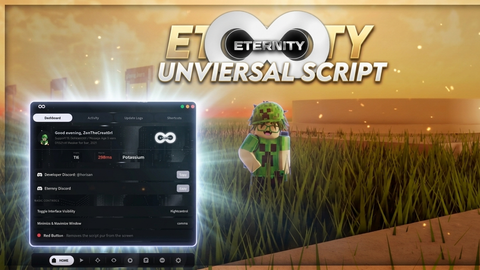
Universal Script 📌
AjnurHub10K executions
3 months ago
Please login to perform these actions:Does it work?
No reports yetNo reports yet. Tried it? Be the first to say.
Also noticed:
Description
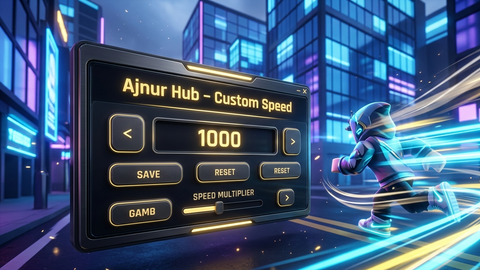
Custom Speed Input: Type any walk speed you want into the text box and apply it instantly. Persistent Anti-Reset Loop: The script continuously enforces your custom speed in the background, preventing the game from resetting it. Death Persistence: Your custom speed automatically reapplies even after your character dies and respawns. Insert Key Toggle: Press the Insert key on your keyboard to easily hide or show the GUI menu. Draggable Window: Click and drag the title bar to move the user interface anywhere you want on your screen. Reset Button: Quickly revert back to the default Roblox walk speed (16) with a single click.
-- Advanced Persistent Speed GUI with Insert Toggle & Draggable Frame (English)
local Players = game:GetService("Players")
local UserInputService = game:GetService("UserInputService")
local player = Players.LocalPlayer

-- Remove old GUI if it exists
if game.CoreGui:FindFirstChild("AdvancedSpeedGui") then
    game.CoreGui.AdvancedSpeedGui:Destroy()
end

local screenGui = Instance.new("ScreenGui")
screenGui.Name = "AdvancedSpeedGui"
screenGui.Parent = game.CoreGui

-- Main Frame
local frame = Instance.new("Frame")
frame.Size = UDim2.new(0, 240, 0, 190)
frame.Position = UDim2.new(0.5, -120, 0.2, 0)
frame.BackgroundColor3 = Color3.fromRGB(25, 25, 30)
frame.BorderSizePixel = 0
frame.Active = true
frame.Parent = screenGui

-- Rounded corners for frame
local uiCorner = Instance.new("UICorner")
uiCorner.CornerRadius = UDim.new(0, 8)
uiCorner.Parent = frame

-- Title
local title = Instance.new("TextLabel")
title.Size = UDim2.new(1, 0, 0, 35)
title.Text = "⚡ Ultra Speed Hub (Insert)"
title.TextColor3 = Color3.fromRGB(255, 255, 255)
title.BackgroundColor3 = Color3.fromRGB(35, 35, 42)
title.TextSize = 15
title.Font = Enum.Font.GothamBold
title.Parent = frame

local titleCorner = Instance.new("UICorner")
titleCorner.CornerRadius = UDim.new(0, 8)
Comments
0Log in to join the conversation. Login
No comments yet. Be the first!