14.3k Views
21 Executions
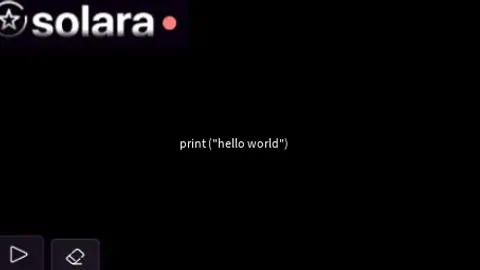
Solara internal UI V2
Universal Script 📌
hotdognPublished 10
2 years ago
Please login to perform these actions:Does it work?
No reports yetNo reports yet. Tried it? Be the first to say.
Also noticed:
Description
This is a real script thats epik Some one please tell me how to OPen and close a UI with roblox studio
Updates
Script edited: Create script
-- Gui to Lua
-- Version: 3.2

-- Instances:

local Hackerepik = Instance.new("ScreenGui")
local Frame = Instance.new("Frame")
local ImageLabel = Instance.new("ImageLabel")
local TextBox = Instance.new("TextBox")
local Execute = Instance.new("ImageButton")
local CLEAR = Instance.new("ImageButton")

--Properties:

Hackerepik.Name = "Hacker epik"
Hackerepik.Parent = game.Players.LocalPlayer:WaitForChild("PlayerGui")
Hackerepik.ZIndexBehavior = Enum.ZIndexBehavior.Sibling

Frame.Parent = Hackerepik
Frame.BackgroundColor3 = Color3.fromRGB(0, 0, 0)
Frame.BorderColor3 = Color3.fromRGB(0, 0, 0)
Frame.BorderSizePixel = 0
Frame.Position = UDim2.new(0.327823907, 0, 0.302729517, 0)
Frame.Size = UDim2.new(0, 481, 0, 266)

ImageLabel.Parent = Frame
ImageLabel.BackgroundColor3 = Color3.fromRGB(255, 255, 255)
ImageLabel.BorderColor3 = Color3.fromRGB(0, 0, 0)
ImageLabel.BorderSizePixel = 0
ImageLabel.Size = UDim2.new(0, 189, 0, 48)
ImageLabel.Image = "http://www.roblox.com/asset/?id=18224528814"

TextBox.Parent = Frame
TextBox.BackgroundColor3 = Color3.fromRGB(0, 0, 0)
TextBox.BorderColor3 = Color3.fromRGB(0, 0, 0)
TextBox.BorderSizePixel = 0
TextBox.Position = UDim2.new(0.103950106, 0, 0.229323313, 0)
TextBox.Size = UDim2.new(0, 365, 0, 154)
TextBox.Font = Enum.Font.SourceSans
TextBox.Text = "hi"

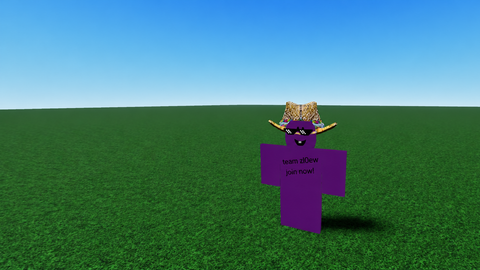

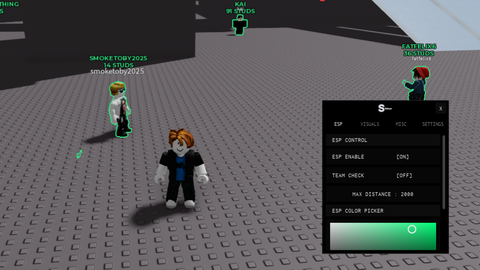
- The textbox is barely set up properly - The icons don't match the padding - The preview is low quality - The UI is handled by Image, On lower resolutions the UI becomes pixelated. - Don't UI Design if you lack coding knowledge, at least in roblox Rating: 2/10.
My eyes.
Dont worry guys im remaking a model of this exact script.
Is it good?
Wdym
Guys Please tell me how to make it visible and invisible with a key press